Content: campaigns, carousel, avatars
Dashboard: every screen, state and flow in Content: campaigns, carousel, avatars.
16 screens and overlays, 64 states, 3 flows. Frames show a real screenshot where one was captured and a wireframe card where the state needs data or conditions a device run cannot produce.
Flows
Marketing campaign publish
Create Marketing Campaign
Campaign created
Toast Campaign created successfully
Needs data: Needs specific backend rows, a role, or a submitted write on a disposable record
Marketing Campaigns
Four-state status
Draft, Scheduled, Expired, Published badge with status filter
Needs data: Needs specific backend rows, a role, or a submitted write on a disposable record
Publish or Unpublish campaign
Needs data: Needs a campaign whose publish changes the app view

Edit Campaign
Campaign updated
Toast Campaign updated successfully
Needs data: Needs specific backend rows, a role, or a submitted write on a disposable record
Branches and edge cases
Create Marketing Campaign
Description needed for action
Description is required for action campaigns
Not captured yet
Create Marketing Campaign
Content needed for info
Content is required for info campaigns
Not captured yet
Create Marketing Campaign
Duplicate slug
Campaign with slug x already exists
Needs data: Needs specific backend rows, a role, or a submitted write on a disposable record
Publish or Unpublish campaign
Skipped when no visible change
Publish or unpublish runs immediately with a toast otherwise
Needs data: Needs specific backend rows, a role, or a submitted write on a disposable record
Flow diagram
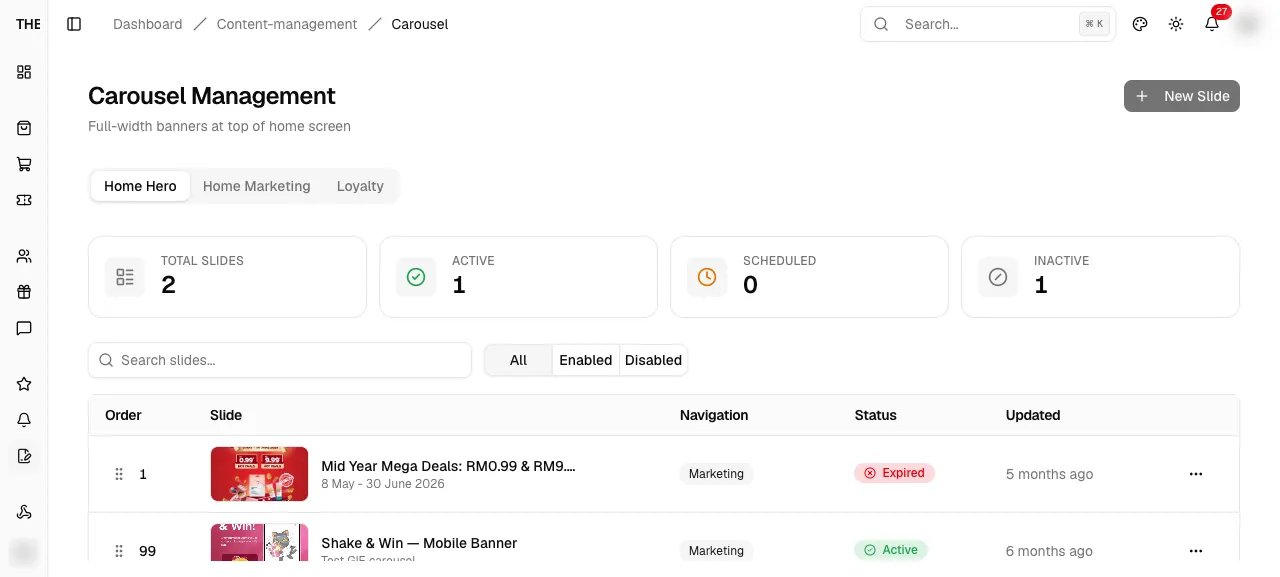
Carousel management
Create Slide
Slide created
Toast Carousel slide created successfully
Needs data: Needs specific backend rows, a role, or a submitted write on a disposable record
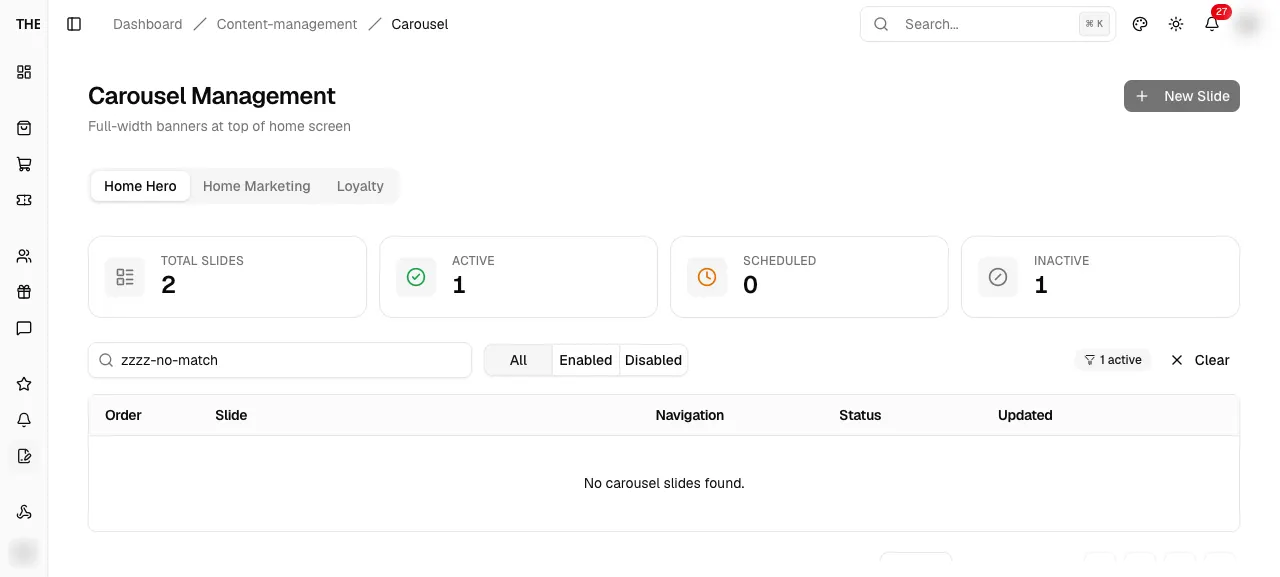
Carousel Management
Reorder rollback
Optimistic reorder rolls back with a toast on error
Not reachable on a device: Needs a server error, crash, race or code change
Branches and edge cases
Create Slide
Server soft failure toast
Display order N already in use, or videoUrl required for video
Needs data: Needs specific backend rows, a role, or a submitted write on a disposable record
Create Slide
Hero needs navigation
home_hero requires navigationType and a valid target format
Not captured yet
Create Slide
Image required
Image is required
Not captured yet
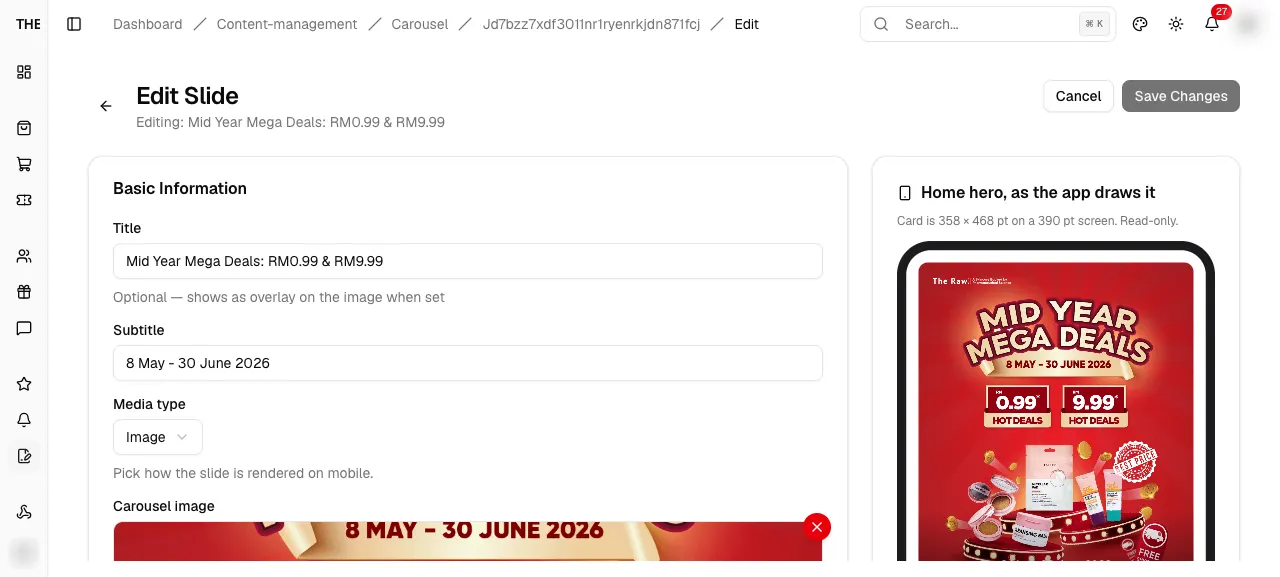
Edit Slide
Duplicate order refused
Display order N is already in use for placement p
Needs data: Needs specific backend rows, a role, or a submitted write on a disposable record
Flow diagram
Avatar catalogue
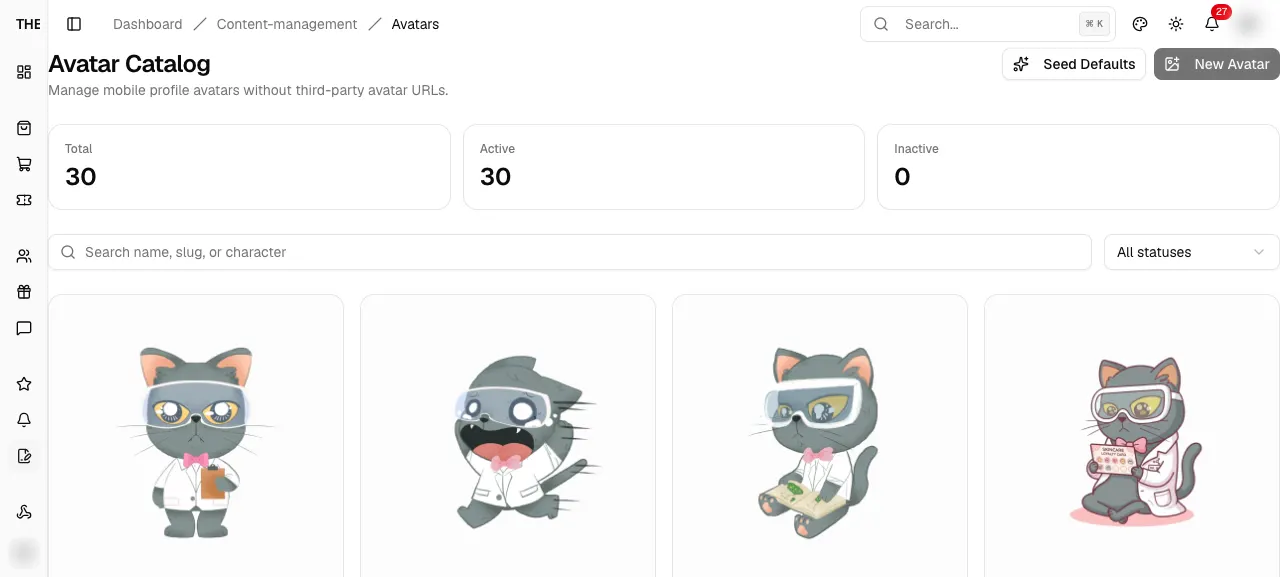
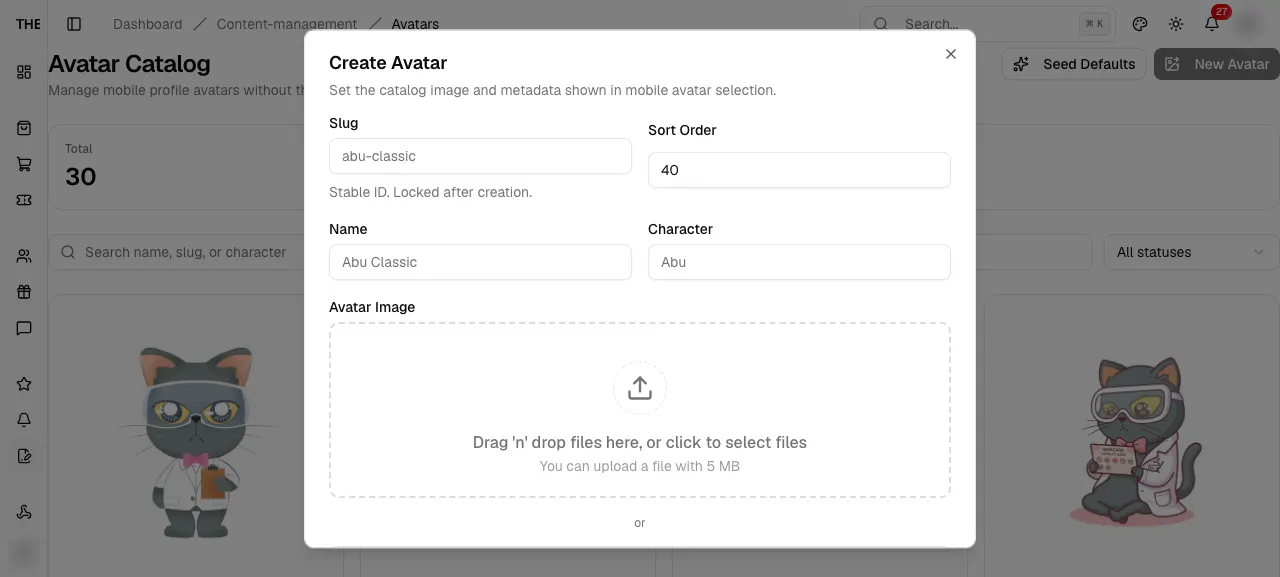
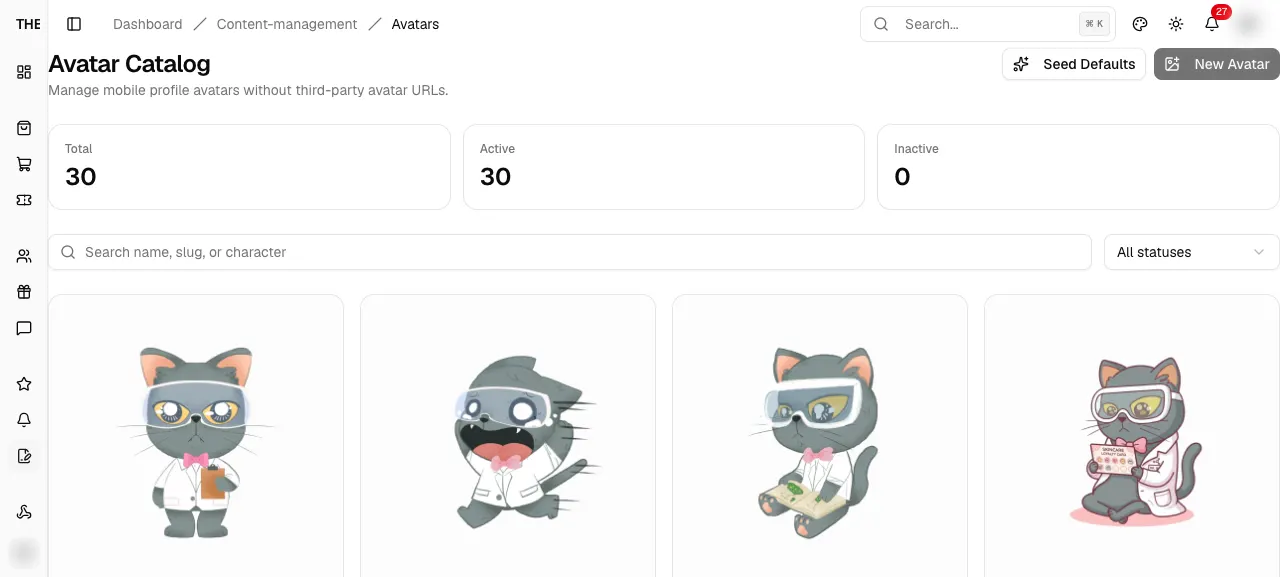
Delete avatar?
Avatar deleted
Toast Avatar deleted
Needs data: Needs specific backend rows, a role, or a submitted write on a disposable record
Branches and edge cases
Avatar Catalog
Empty catalogue
Card with Seed 30 Defaults button
Needs data: Needs specific backend rows, a role, or a submitted write on a disposable record
Avatar form
Slug exists
Avatar slug already exists
Needs data: Needs specific backend rows, a role, or a submitted write on a disposable record
Avatar form
Image required
Avatar image is required
Not captured yet
Delete avatar?
Archived when in use
Avatar is in use, so it was archived
Needs data: Needs specific backend rows, a role, or a submitted write on a disposable record
Flow diagram
Screens and states
Content management
/dashboard/content-managementContent management
Redirect to the carousel section.
src/app/dashboard/content-management/page.tsxEntry
- Sidebar parent item
Exits
- Redirect → /content-management/carousel
Avatar Catalog
/dashboard/content-management/avatarsAvatar Catalog
Manage the mobile avatar catalogue.
src/app/dashboard/content-management/avatars/page.tsxEntry
- Sidebar Content > Avatars
Exits
- New Avatar or Edit → form dialog
- Delete → confirm dialog
- Seed Defaults → confirm or seed
- Arrows → swap sort order
States · 7
src/features/content-management/avatars/components/avatar-catalog-manager.tsxsrc/features/content-management/avatars/components/avatar-catalog-manager.tsxsrc/features/content-management/avatars/components/avatar-catalog-manager.tsxsrc/features/content-management/avatars/components/avatar-catalog-manager.tsxsrc/app/dashboard/content-management/avatars/page.tsxsrc/features/content-management/avatars/components/avatar-catalog-manager.tsxsrc/features/content-management/avatars/components/avatar-catalog-manager.tsxCaptured states
Avatar form
AvatarFormDialogAvatar form
Create or edit an avatar (slug, name, character, image, order).
src/features/content-management/avatars/components/avatar-form-dialog.tsxEntry
- New Avatar
- Card Edit
Exits
- Save → closes, toast
- Cancel → closes
States · 4
src/features/content-management/avatars/components/avatar-form-dialog.tsx:20packages/backend/convex/avatarCatalog.ts:67src/features/content-management/avatars/components/avatar-form-dialog.tsx:20src/features/content-management/avatars/components/avatar-form-dialog.tsxDelete avatar?
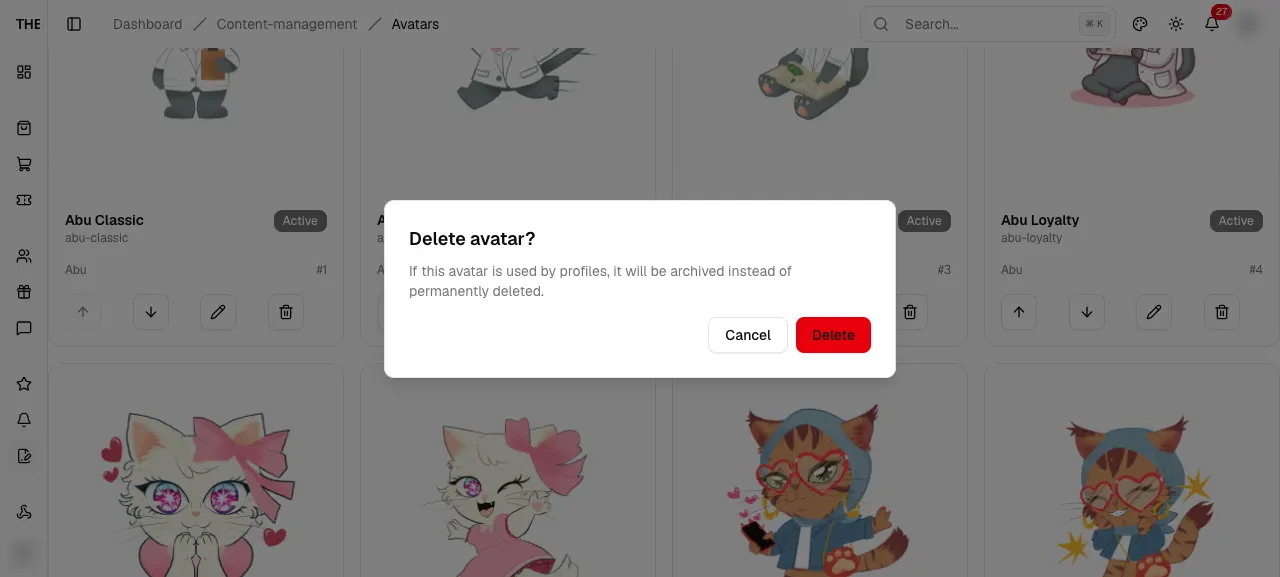
AvatarDeleteAlertDelete avatar?
Confirm delete; avatars in use are archived instead.
src/features/content-management/avatars/components/avatar-catalog-manager.tsxEntry
- Card Delete
Exits
- Delete → toast
- Cancel → closes
States · 2
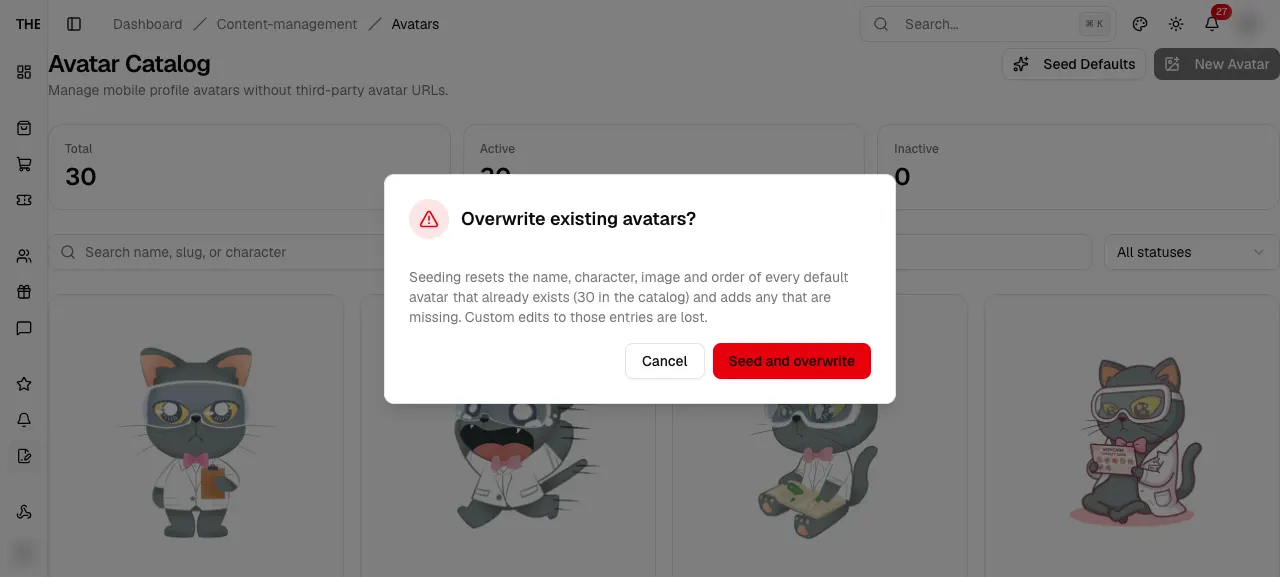
src/features/content-management/avatars/components/avatar-catalog-manager.tsx:343src/features/content-management/avatars/components/avatar-catalog-manager.tsx:343Overwrite existing avatars?
AvatarSeedOverwriteDialogOverwrite existing avatars?
Confirm re-seeding defaults over existing avatars.
src/features/content-management/avatars/components/avatar-catalog-manager.tsxEntry
- Seed Defaults with non-empty catalogue
Exits
- Confirm → resets defaults, adds missing
- Cancel → closes
States · 1
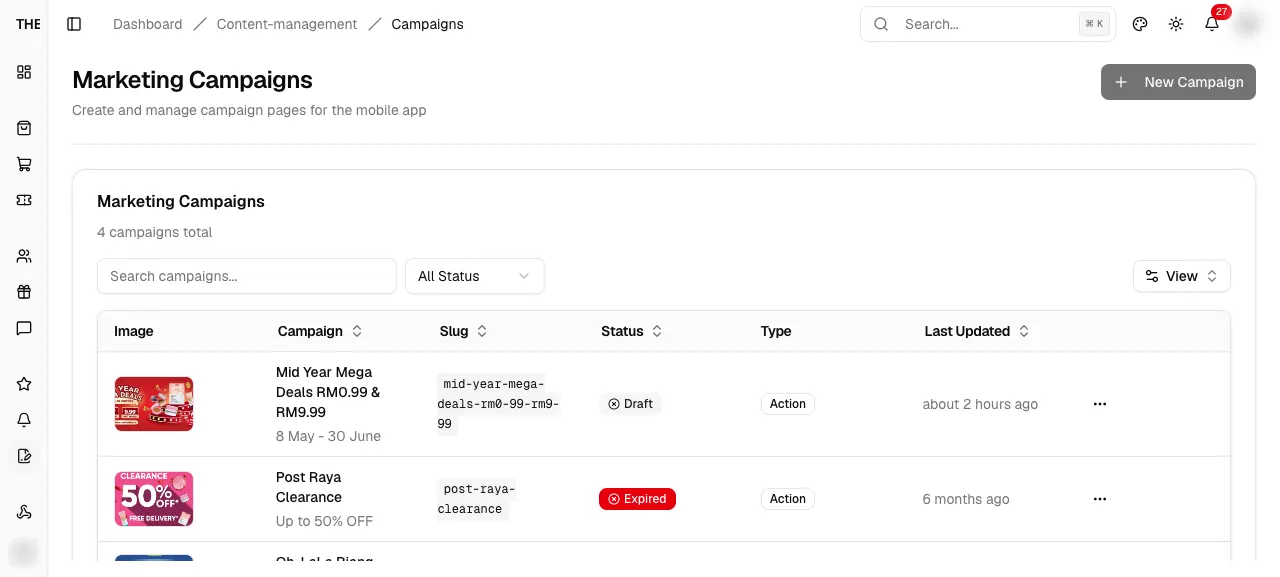
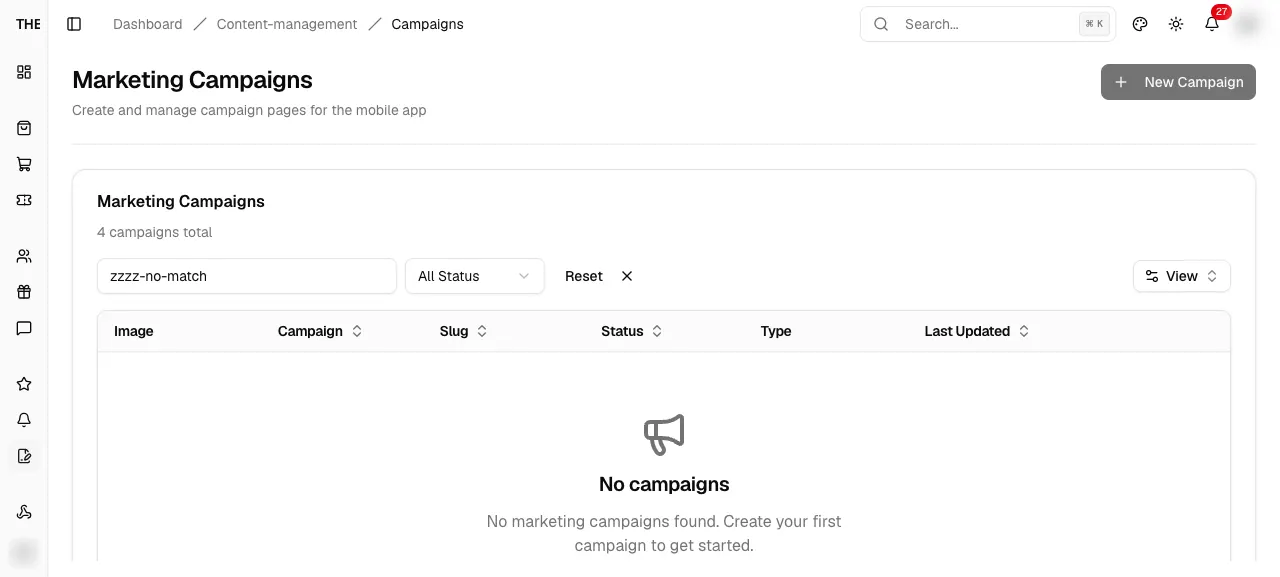
src/features/content-management/avatars/components/avatar-catalog-manager.tsxMarketing Campaigns
/dashboard/content-management/campaignsMarketing Campaigns
List campaign pages shown in the mobile app.
src/app/dashboard/content-management/campaigns/page.tsxEntry
- Sidebar Content > Campaigns
- Create or edit redirects
Exits
- New Campaign → /campaigns/new
- View → /campaigns/[id]
- Edit → /campaigns/[id]/edit
- Publish or Unpublish (admin)
- Delete → confirm dialog
States · 7
src/app/dashboard/content-management/campaigns/loading.tsxsrc/app/dashboard/content-management/campaigns/error.tsxsrc/features/content-management/campaigns/components/campaign-listing.tsxsrc/features/content-management/campaigns/components/campaign-table.tsx:36src/features/content-management/campaigns/components/campaign-table.tsx:13src/features/content-management/campaigns/components/campaign-table-toolbar.tsx:28src/features/../hooks/convex/use-content.ts:311Captured states
Publish or Unpublish campaign
Publish or Unpublish campaign
Needs data: Needs a campaign whose publish changes the app view
CampaignPublishConfirmPublish or Unpublish campaign
Confirm a publish change that alters what the app shows now.
src/features/content-management/campaigns/components/campaign-detail-view.tsxEntry
- Row menu or detail Publish/Unpublish
Exits
- Confirm → publish state changes
- Cancel → closes
States · 1
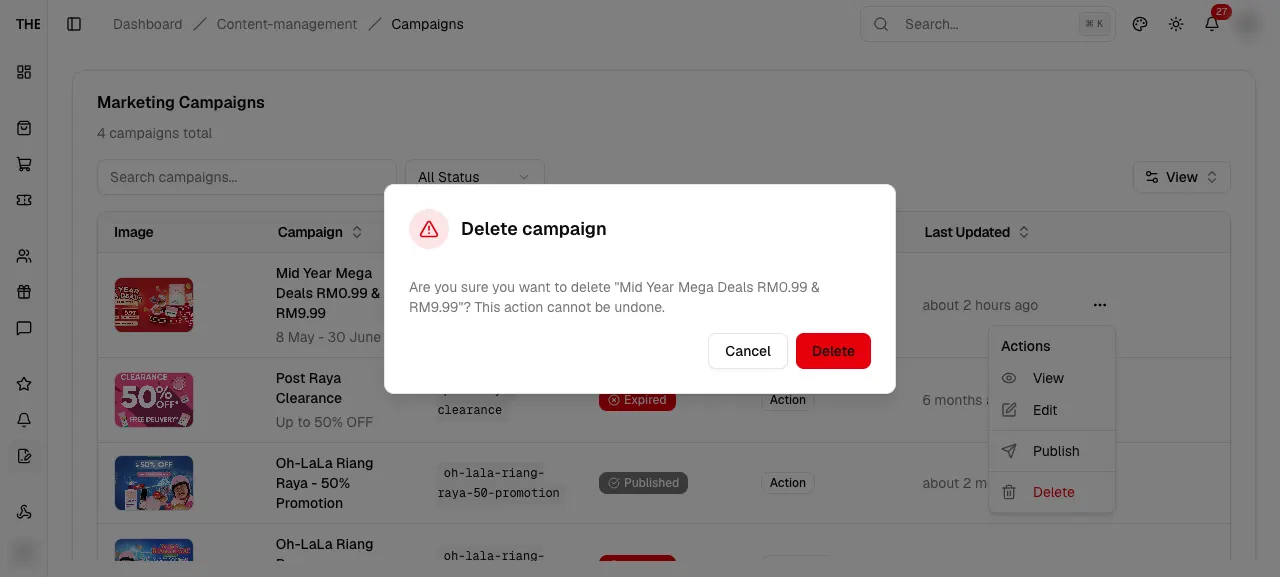
src/features/../hooks/convex/use-content.ts:311Delete campaign
CampaignDeleteConfirmDelete campaign
Confirm hard delete of a marketing campaign.
src/features/content-management/campaigns/components/campaign-columns.tsxEntry
- Row menu Delete
Exits
- Confirm → row removed
- Cancel → closes
States · 1
src/features/content-management/campaigns/components/campaign-columns.tsx:60Create Marketing Campaign
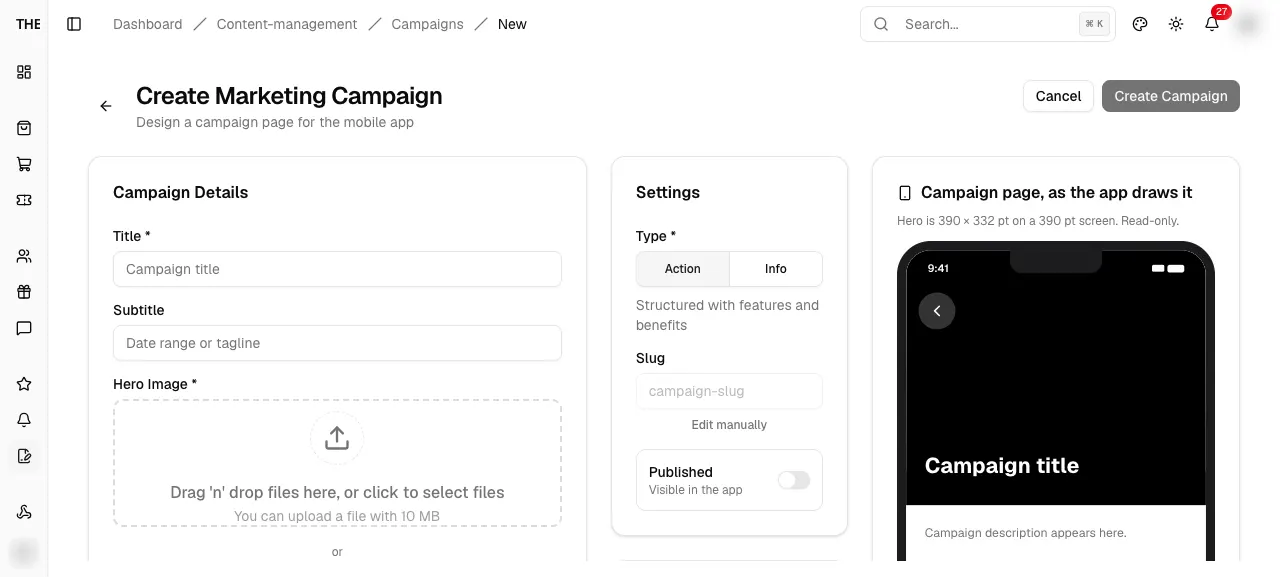
/dashboard/content-management/campaigns/newCreate Marketing Campaign
Create a campaign page with live mobile preview.
src/app/dashboard/content-management/campaigns/new/page.tsxEntry
- New Campaign button
Exits
- Cancel → list (unsaved dialog)
- Submit → /campaigns
States · 9
src/features/content-management/campaigns/components/sections/settings-section.tsxpackages/backend/convex/content/mutations.ts:559src/features/content-management/campaigns/components/sections/settings-section.tsx:28src/features/content-management/campaigns/utils/campaign-schema.tssrc/features/content-management/campaigns/utils/campaign-schema.tssrc/features/content-management/campaigns/utils/campaign-schema.tssrc/features/content-management/campaigns/utils/campaign-schema.tssrc/features/content-management/campaigns/utils/campaign-schema.tssrc/app/dashboard/content-management/campaigns/new/page.tsx:19Campaign Detail
/dashboard/content-management/campaigns/[id]Campaign Detail
Read-only campaign with schedule and status.
src/app/dashboard/content-management/campaigns/[id]/page.tsxEntry
- List title or View
Exits
- Back to list
- Edit → /[id]/edit
- Publish or Unpublish → confirm
States · 4
src/app/dashboard/content-management/campaigns/[id]/loading.tsxsrc/app/dashboard/content-management/campaigns/[id]/campaign-detail-view.tsx:83src/app/dashboard/content-management/campaigns/[id]/campaign-detail-view.tsx:59src/app/dashboard/content-management/campaigns/[id]/campaign-detail-view.tsxEdit Campaign
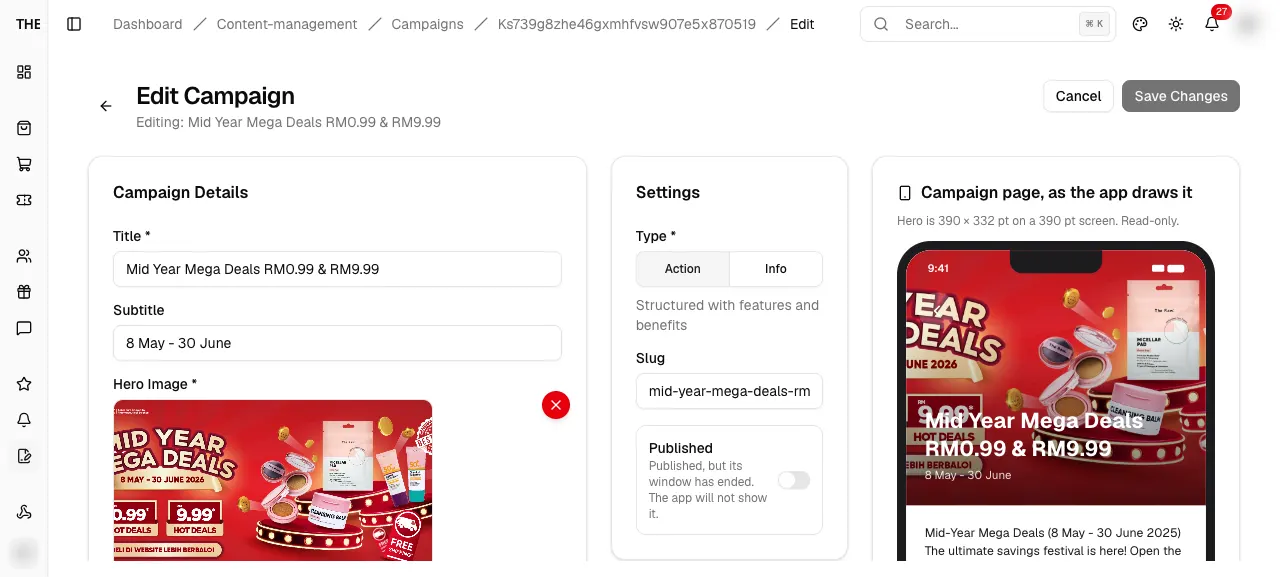
/dashboard/content-management/campaigns/[id]/editEdit Campaign
Edit a marketing campaign with the same form as create.
src/app/dashboard/content-management/campaigns/[id]/edit/page.tsxEntry
- Detail Edit
- List menu Edit
Exits
- Cancel → list
- Submit → list
States · 4
src/app/dashboard/content-management/campaigns/[id]/edit/edit-campaign-view.tsxsrc/app/dashboard/content-management/campaigns/[id]/edit/edit-campaign-view.tsx:16packages/backend/convex/content/mutations.ts:684src/app/dashboard/content-management/campaigns/[id]/edit/edit-campaign-view.tsxCarousel Management
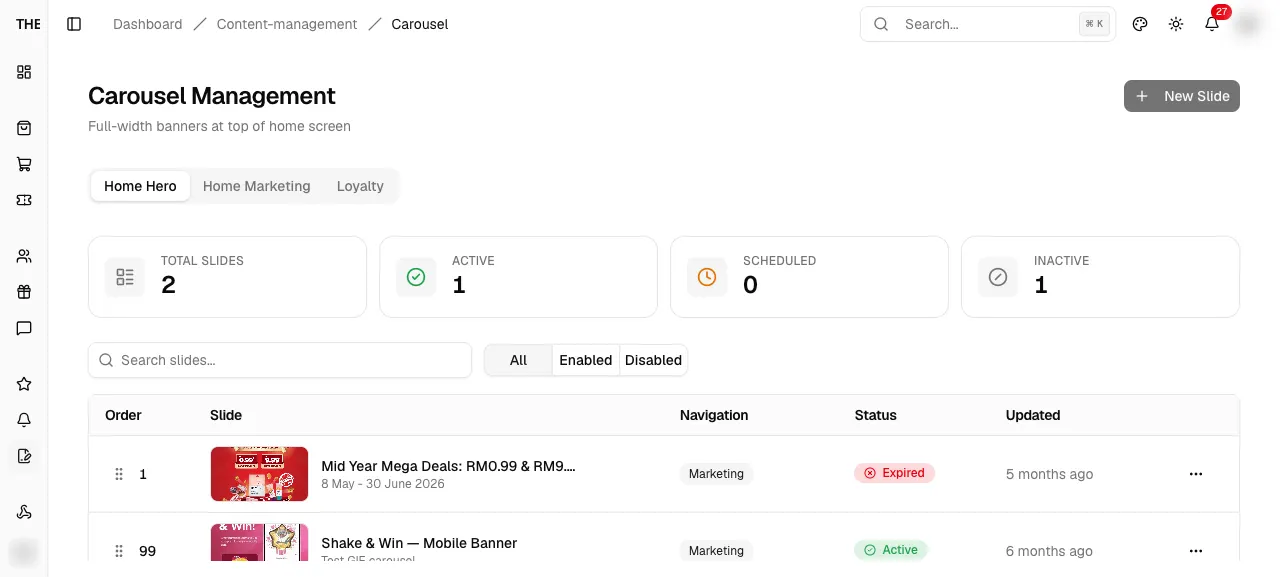
/dashboard/content-management/carouselCarousel Management
Manage home and loyalty banner slides per placement.
src/app/dashboard/content-management/carousel/page.tsxEntry
- Sidebar Content
- New or edit redirects with ?tab=
Exits
- Placement tabs → ?tab=
- New Slide → /carousel/new
- Row click → /[id]/edit
- View → /[id]
- Delete → confirm
- Drag handle → reorder
States · 8
src/app/dashboard/content-management/carousel/loading.tsxsrc/app/dashboard/content-management/carousel/error.tsxsrc/features/content-management/carousel/components/carousel-listing.tsx:158src/features/content-management/carousel/components/carousel-listing.tsx:166src/features/content-management/carousel/components/carousel-table.tsx:245src/app/dashboard/content-management/carousel/page.tsx:30src/features/content-management/carousel/components/carousel-table.tsx:150src/features/content-management/carousel/components/carousel-table.tsx:150Captured states
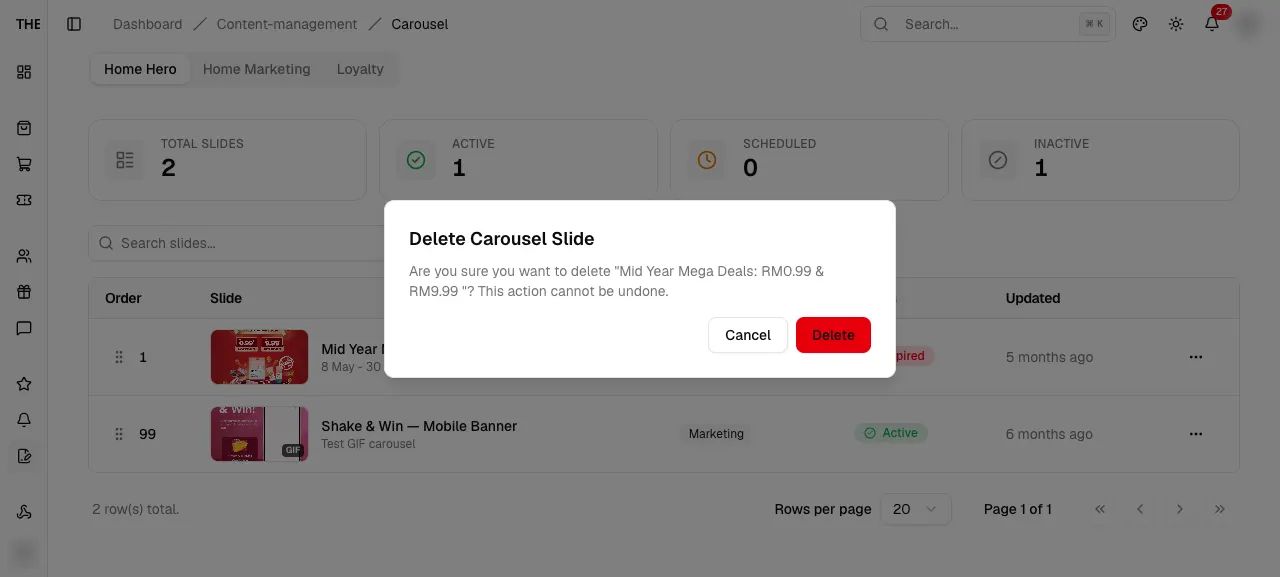
Delete Carousel Slide
CarouselDeleteAlertDelete Carousel Slide
Confirm deleting a slide.
src/features/content-management/carousel/components/carousel-listing.tsxEntry
- Row menu Delete
Exits
- Delete → toast
- Cancel → closes
States · 1
src/features/content-management/carousel/components/carousel-listing.tsx:105Create Slide
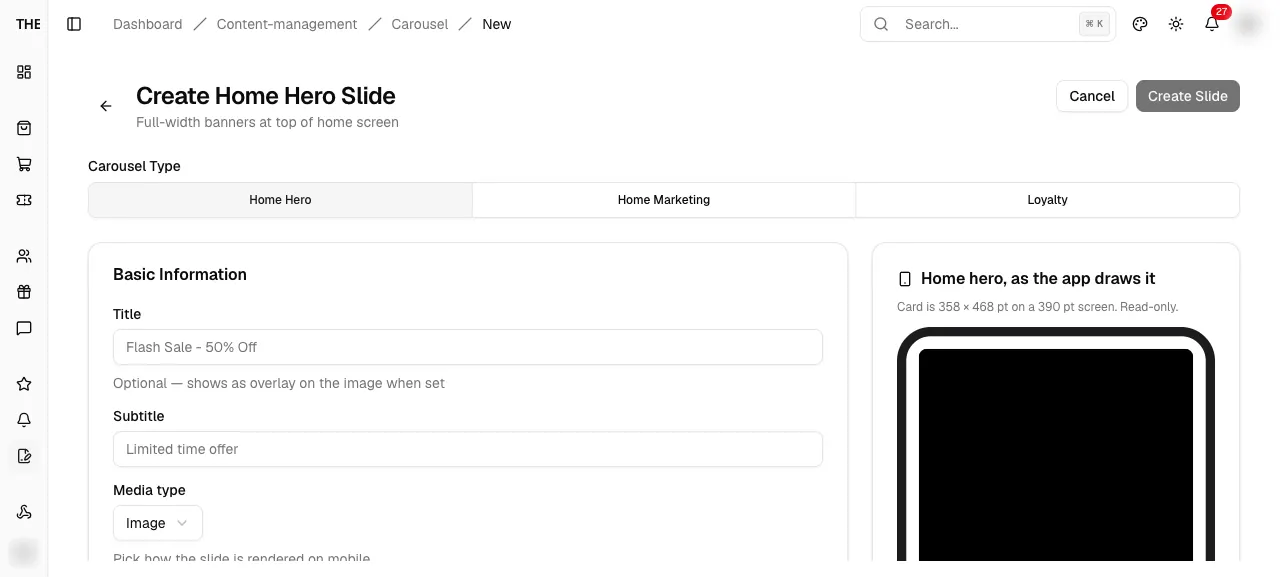
/dashboard/content-management/carousel/newCreate Slide
Create a home hero, home marketing or loyalty slide.
src/app/dashboard/content-management/carousel/new/page.tsxEntry
- New Slide with ?placement=
Exits
- Cancel → list tab (unsaved dialog)
- Submit → list tab
States · 8
src/app/dashboard/content-management/carousel/new/page.tsx:25packages/backend/convex/content/mutations.ts:159src/app/dashboard/content-management/carousel/new/page.tsx:63src/features/content-management/carousel/utilssrc/features/content-management/carousel/utilssrc/features/content-management/carousel/utilssrc/features/content-management/carousel/utilssrc/app/dashboard/content-management/carousel/new/page.tsxSlide detail

/dashboard/content-management/carousel/[id]Slide detail
Read-only slide detail with status badge.
src/app/dashboard/content-management/carousel/[id]/page.tsxEntry
- Row menu View
Exits
- Back to Carousel
- Edit → /[id]/edit
States · 3
src/app/dashboard/content-management/carousel/[id]/loading.tsxsrc/app/dashboard/content-management/carousel/[id]/page.tsxsrc/app/dashboard/content-management/carousel/[id]/page.tsx:26Edit Slide
/dashboard/content-management/carousel/[id]/editEdit Slide
Edit a slide; placement cannot change.
src/app/dashboard/content-management/carousel/[id]/edit/page.tsxEntry
- Row click
- Row menu Edit
- Detail Edit
Exits
- Cancel → list tab
- Submit → list tab
States · 4
src/app/dashboard/content-management/carousel/[id]/edit/page.tsxsrc/app/dashboard/content-management/carousel/[id]/edit/page.tsx:35packages/backend/convex/content/mutations.tssrc/app/dashboard/content-management/carousel/[id]/edit/page.tsx:79