Notifications
Dashboard: every screen, state and flow in Notifications.
30 screens and overlays, 181 states, 4 flows. Frames show a real screenshot where one was captured and a wireframe card where the state needs data or conditions a device run cannot produce.
Flows
Send a message
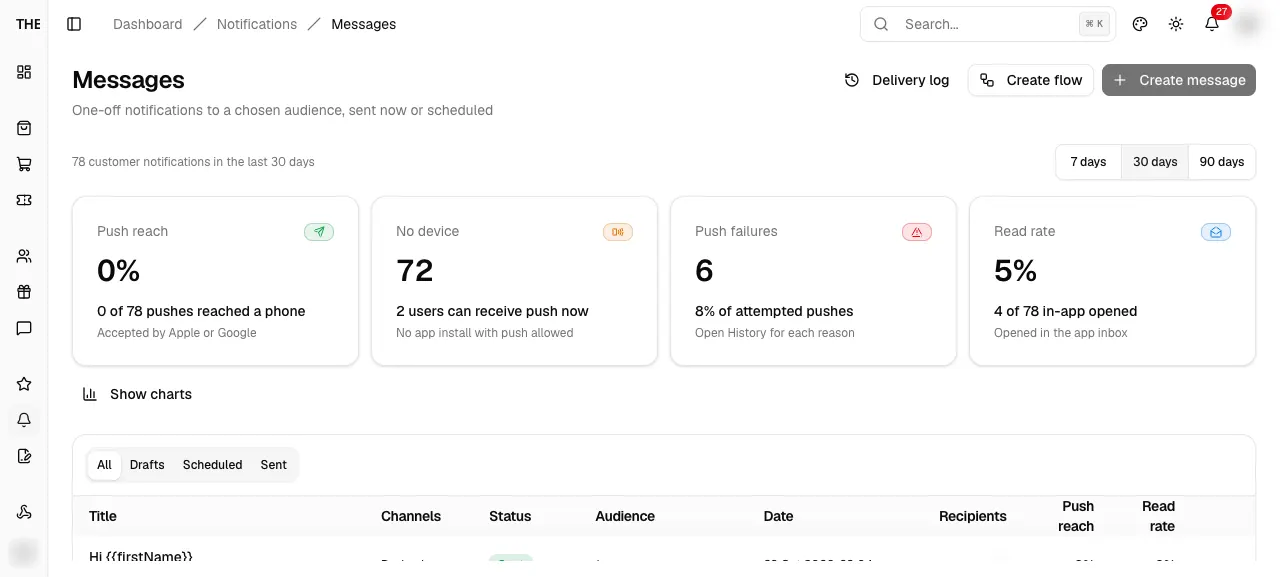
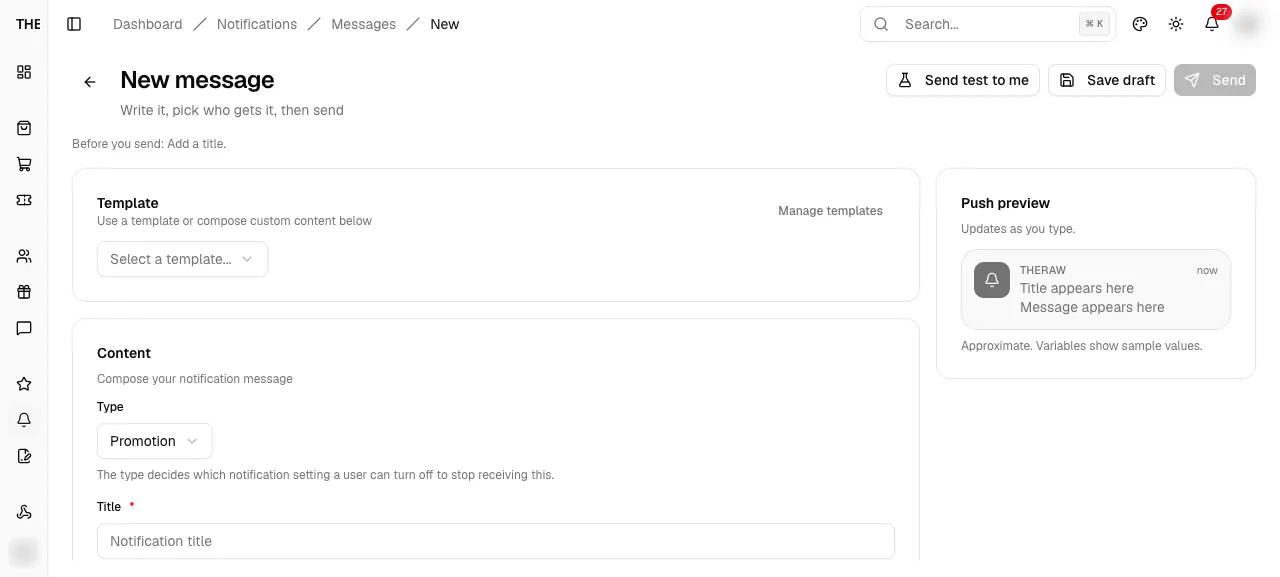
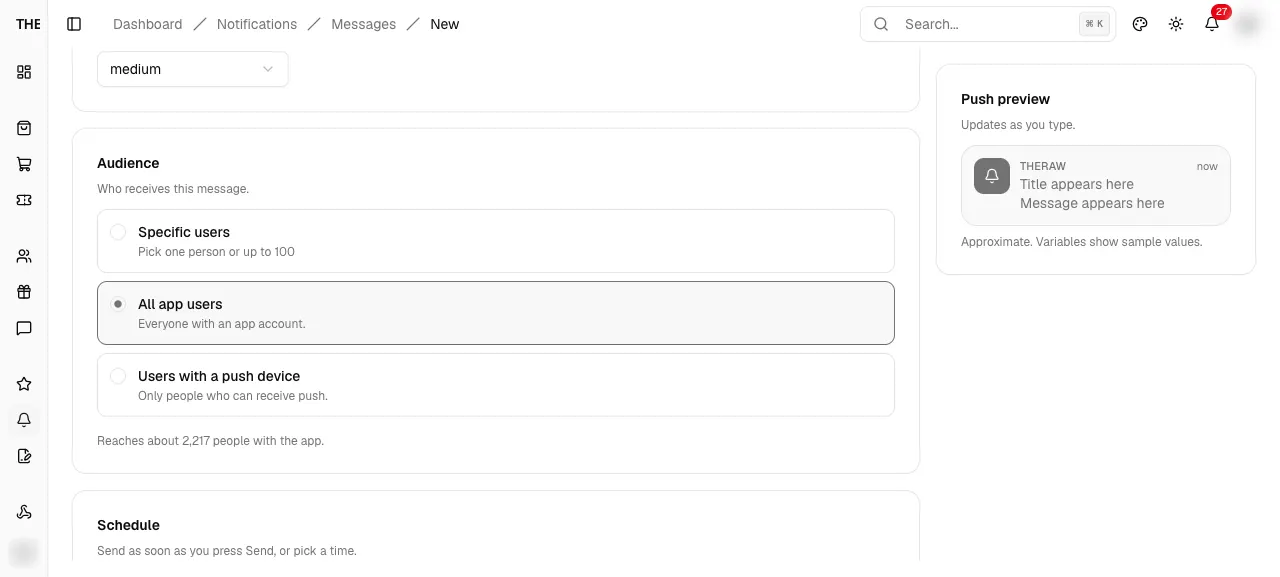
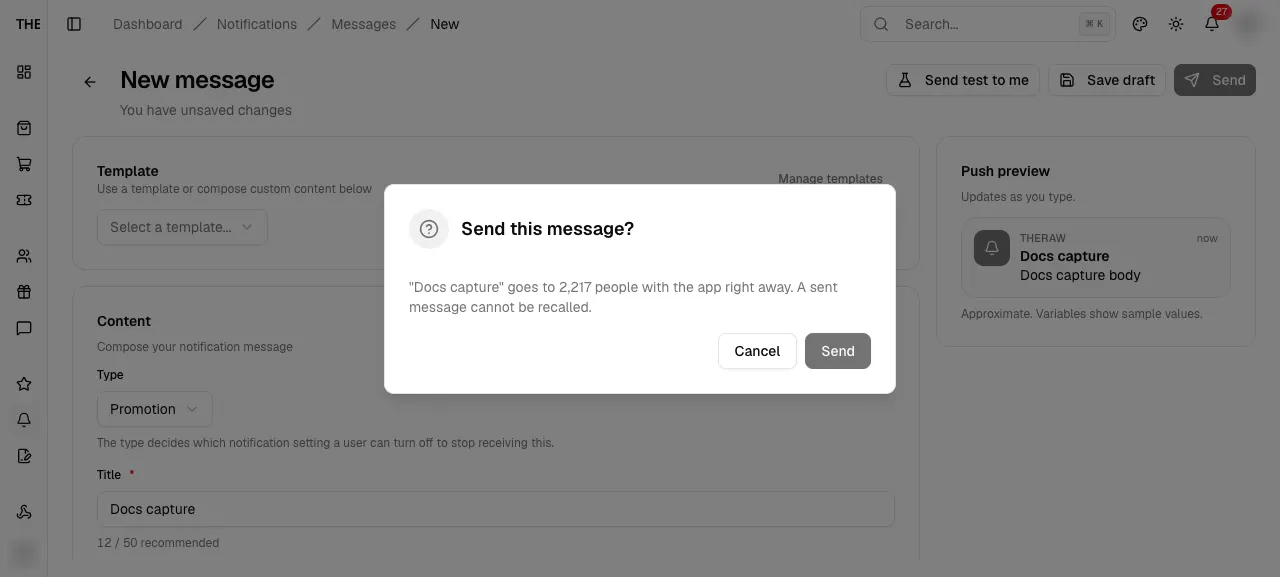
Message
Other statuses open results
Scheduled, sending, sent and cancelled render MessageResults
Needs data: Needs a message row
Message results
Delivery counts
Five cards: Recipients, Push reached with a percent, No device, Push failed, Opened with a percent of in-app
Needs data: Needs a scheduled, sent or cancelled message row
Branches and edge cases
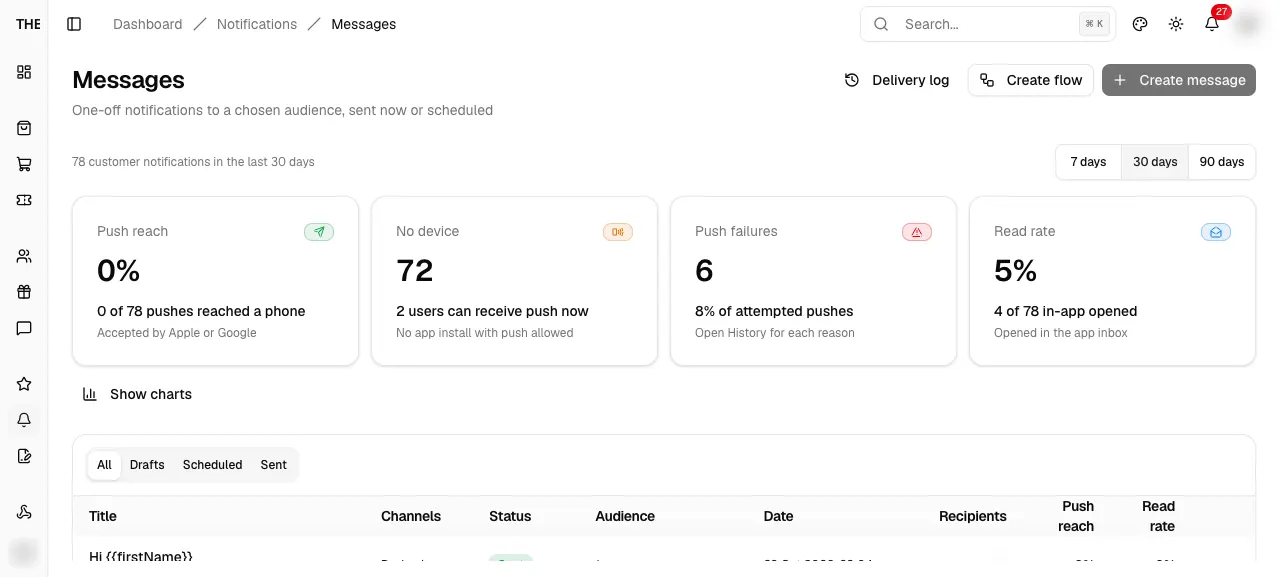
Messages
Admin only actions
Create message and the Edit, Duplicate, Cancel, Delete items are disabled with the tooltip Requires admin role below admin
Needs data: Needs an account whose role is below admin
Messages
No messages yet
Title No messages yet on All; on a status tab it reads No drafts messages, No scheduled messages or No sent messages. Create message shows for admins
Needs data: Needs specific backend rows, a role, or a submitted write on a disposable record
Messages
Duplicated
Toast Copied to a new draft, then the new draft opens in the editor
Needs data: Needs specific backend rows, a role, or a submitted write on a disposable record
Cancel or delete a message
Cancel variant
Title Cancel this scheduled message?; the message will not be sent and can be duplicated into a new draft
Needs data: Needs a draft, scheduled or cancelled message row
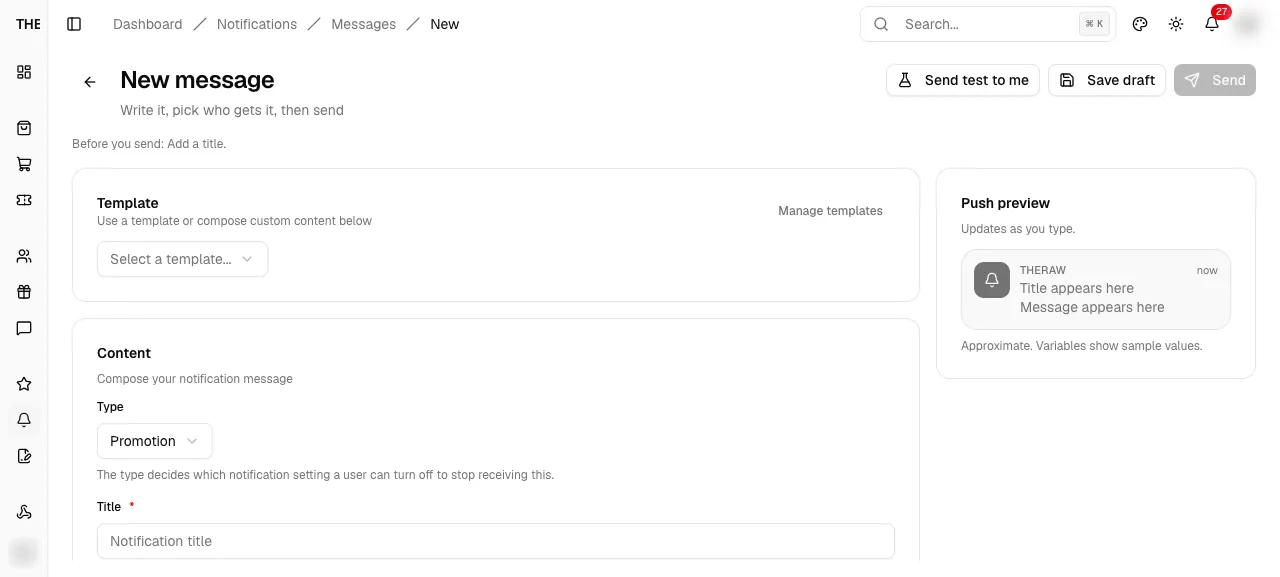
New message
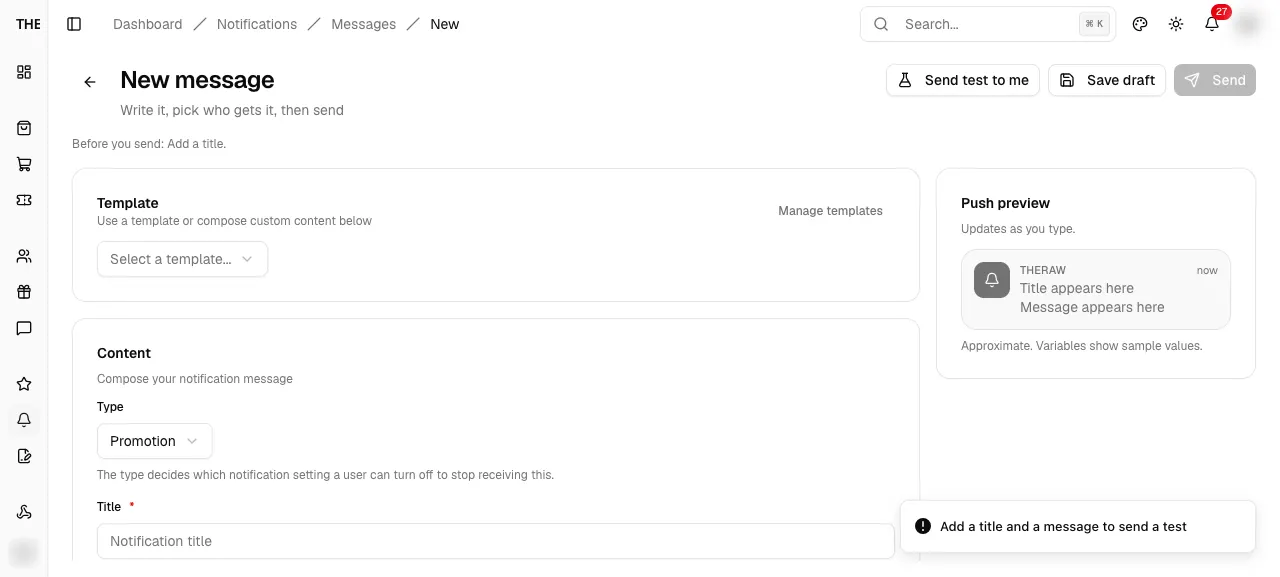
Test sent
Toast with the server message, fallback Test sent. Sends a real push and inbox row to the signed-in admin only
Needs data: Sends a real push and inbox row to the signed-in admin
New message
Draft saved
Toast Draft saved; a new message replaces the URL with /messages/[id]
Needs data: Needs a submitted write on a disposable record
New message
Send refused
Toast Failed to send the message and the confirm dialog closes
Not reachable on a device: Needs a server error, crash, race or code change
New message
Sent or scheduled
Toast with the server message, fallback Sent or Scheduled; the page moves to /messages/[id] results
Needs data: Sends or schedules a real message to real users
Message
Message not found
Message not found. It may have been deleted, or the link is wrong. Back to messages
Needs data: Needs a message row; an unknown id may throw in Convex instead of rendering this
Message results
Scheduled, not sent
Cards and table are replaced by This message has not been sent yet. Results appear here after delivery. Cancel shows
Needs data: Needs a scheduled, sent or cancelled message row
Message results
No recipients yet
No recipients yet. They appear here as the message is delivered.
Needs data: Needs a scheduled, sent or cancelled message row
Flow diagram
Delivery log and queue
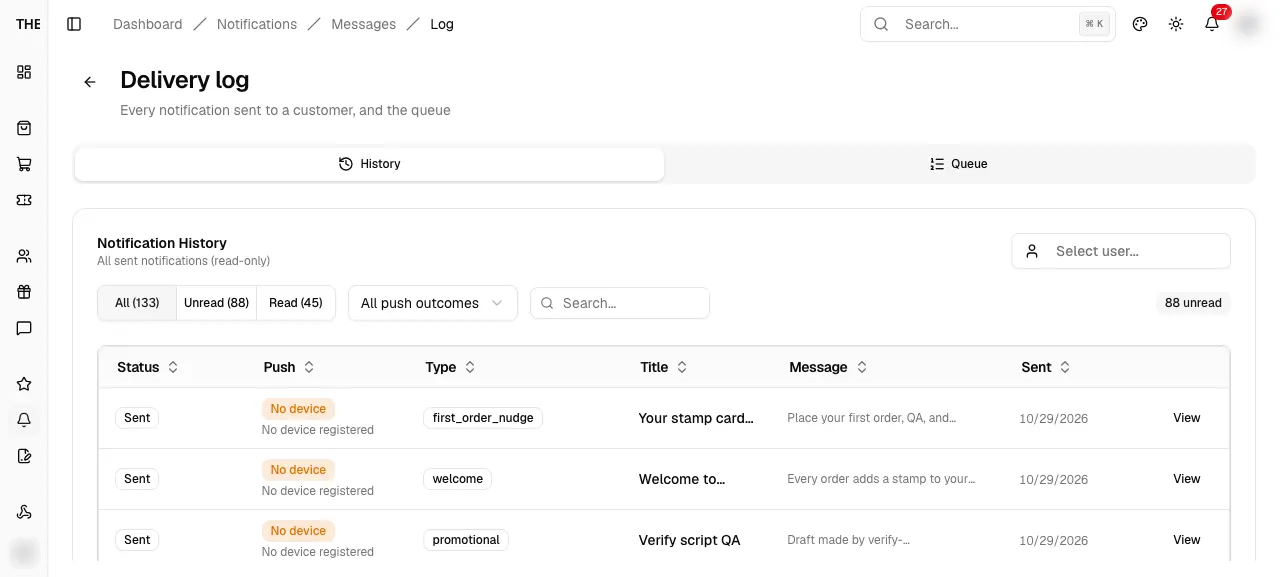
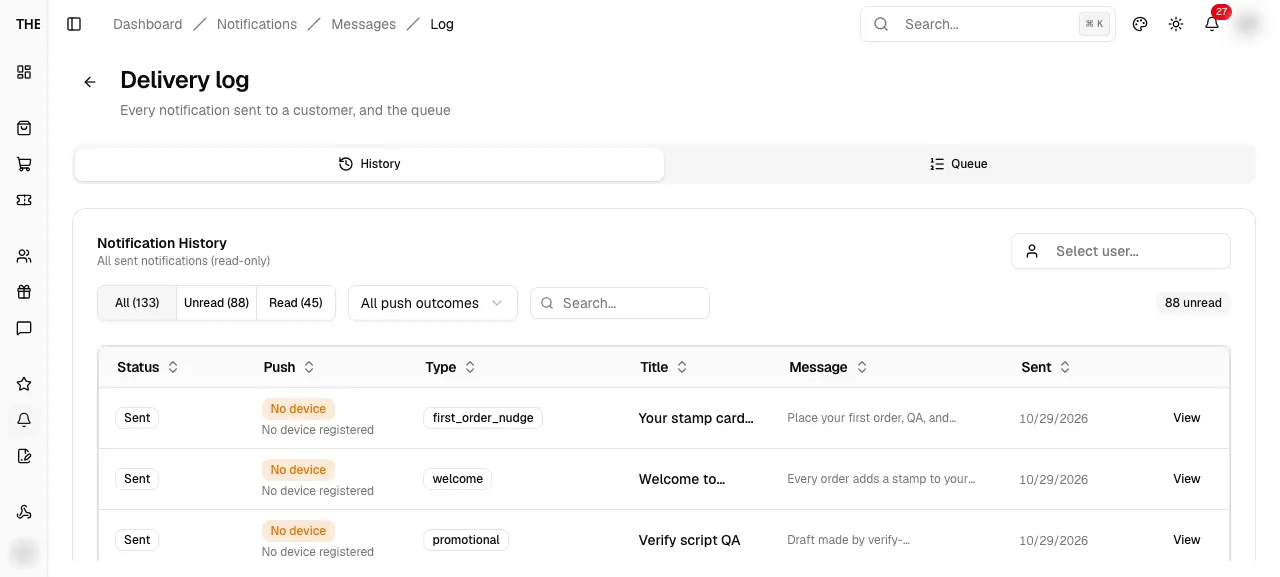
Notification detail
Delivery rows
Push badge, In-app inbox state, Last error, Policy reason, Attempts, Scheduled, Sent, Delivered, Source
Needs data: Needs notification history rows
Branches and edge cases
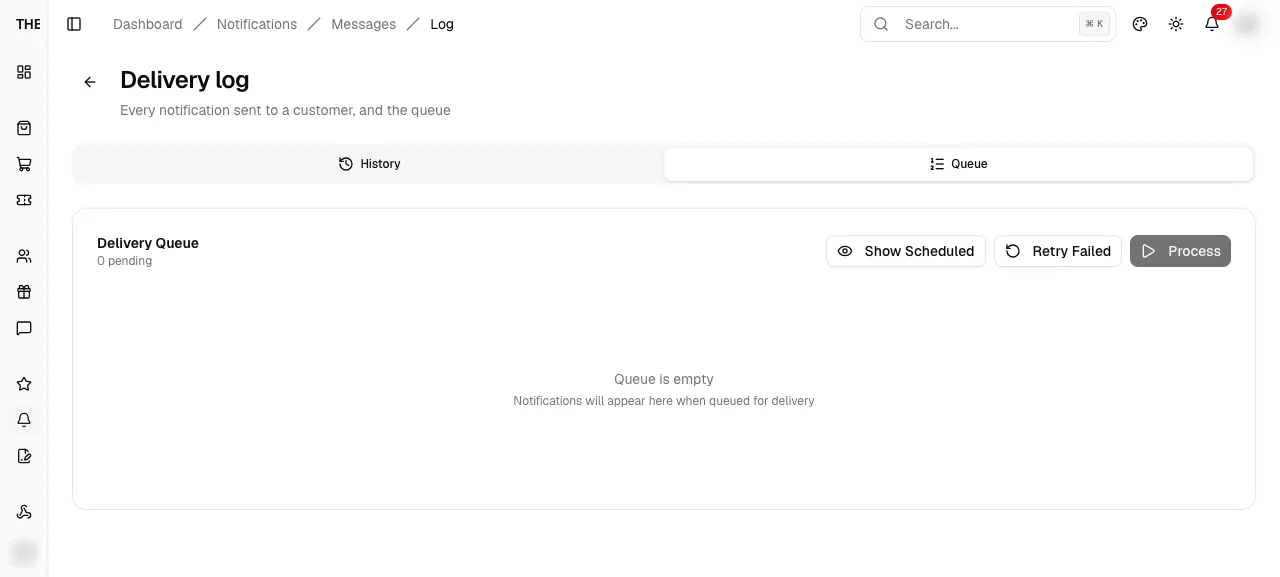
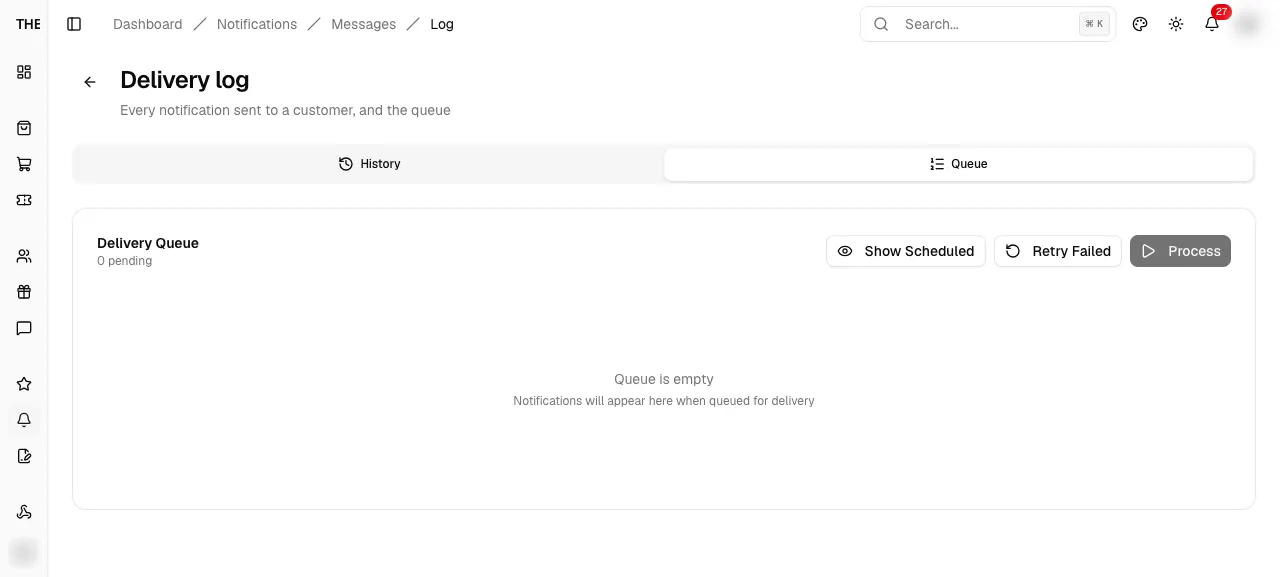
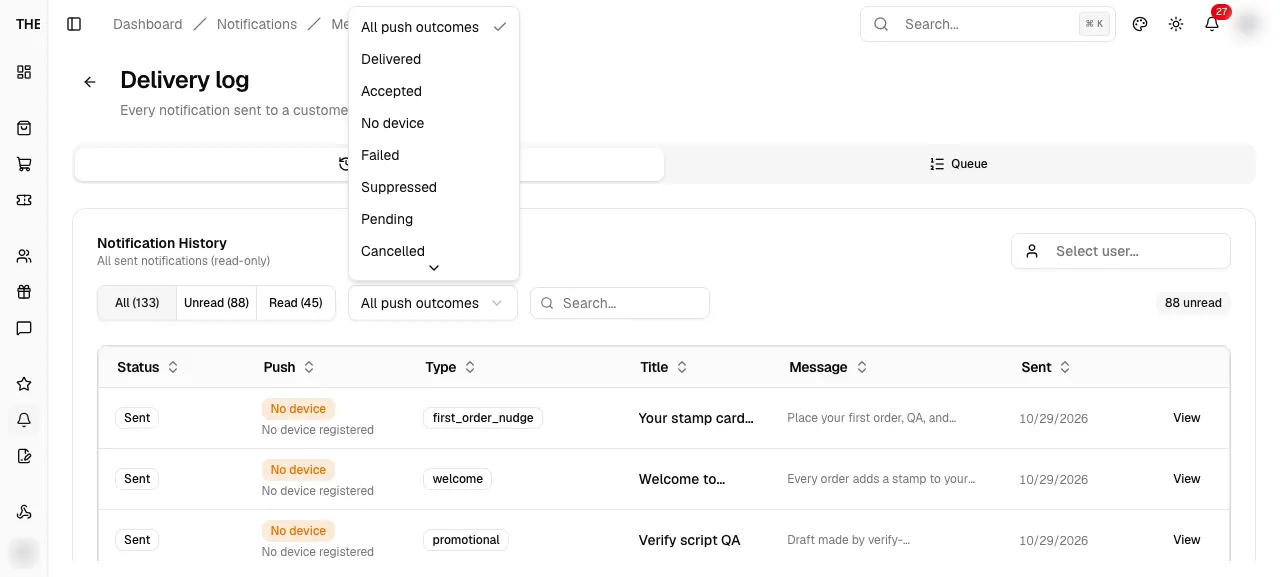
History
No notifications
No notifications sent yet, or No notifications for this user when a user is picked
Needs data: Needs specific backend rows, a role, or a submitted write on a disposable record
History
No matching results
Search or the Unread and Read switch hides every loaded row
Needs data: Needs specific backend rows, a role, or a submitted write on a disposable record
History
200-row limit
Loads at most 200 rows. An alert reads Showing the newest N of M matches, or says the history is larger than the 1,000 rows read at once
Needs data: Needs specific backend rows, a role, or a submitted write on a disposable record
Notification detail
Delivery unavailable
Delivery details are not available for this notification.
Needs data: Needs notification history rows
Notification detail
No device tickets
No push was sent to a device. Ticket rows show token, status badge and error otherwise
Needs data: Needs notification history rows
Notification detail
No active device
No active device. This user cannot receive push.
Needs data: Needs notification history rows
Queue
Queue is empty
Notifications will appear here when queued for delivery
Needs data: Needs specific backend rows, a role, or a submitted write on a disposable record
Cancel queued notifications
Not re-queueable
Cancelled notifications are never delivered and cannot be re-queued from here.
Needs data: Needs queued notifications
Queue
Admin only
Cancel, Retry Failed and Process are disabled below admin
Needs data: Needs an account whose role is below admin
Flow diagram
Build a flow from a template
Flows
No flows yet
Dashed card: Start from a template, or build one from scratch with Create flow. Shows three template cards and Browse all templates
Needs data: Needs specific backend rows, a role, or a submitted write on a disposable record
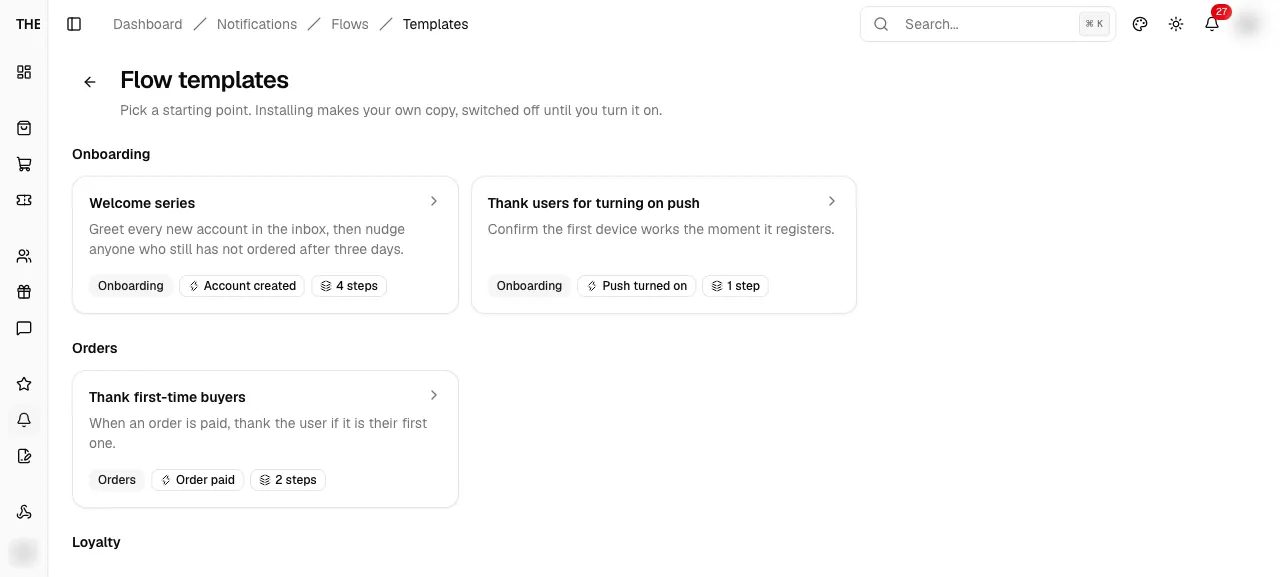
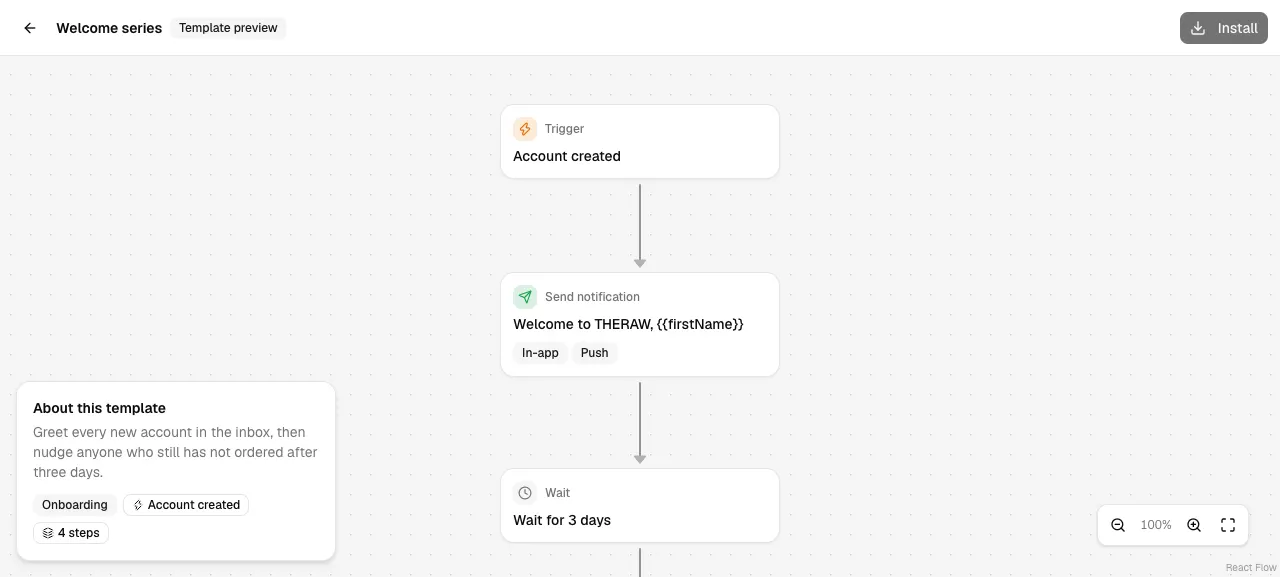
Flow template preview
Installed
Toast Template installed, then the new flow opens in the editor, Inactive
Needs data: Installing writes a flow row; needs a disposable record
Flow editor
Needs data: Needs a flow row
Flow editor
Turned on or off
Toast Flow is on or Flow is off; the badge flips between Active and Inactive
Needs data: Needs a flow row
Recent runs
Step log
Time, step name and outcome per entry; removed steps read <type> (removed step); No steps have run yet. when empty
Needs data: Needs a flow row
Branches and edge cases
Flows
Status tabs and search
All (n), Active (n), Inactive (n); search matches name, trigger and tags
Needs data: Needs specific backend rows, a role, or a submitted write on a disposable record
Flows
Create flow needs admin
Create flow is disabled with Requires admin role; Browse templates stays open
Needs data: Needs an account whose role is below admin
Flows
Create failed
Toast Could not create the flow
Not reachable on a device: Needs a server error, crash, race or code change
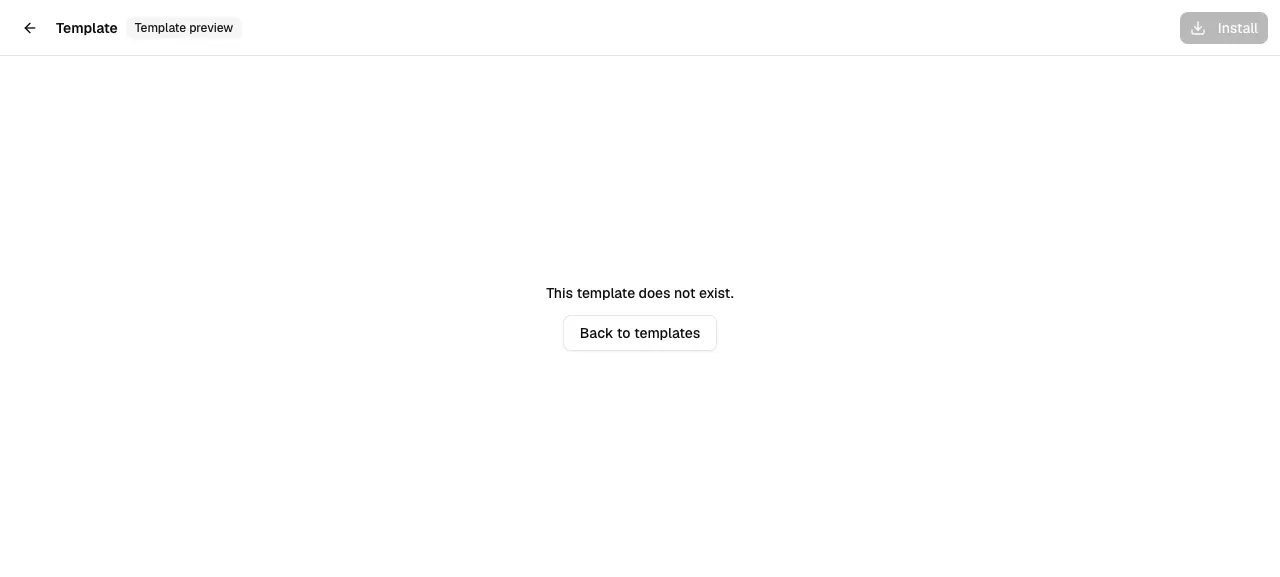
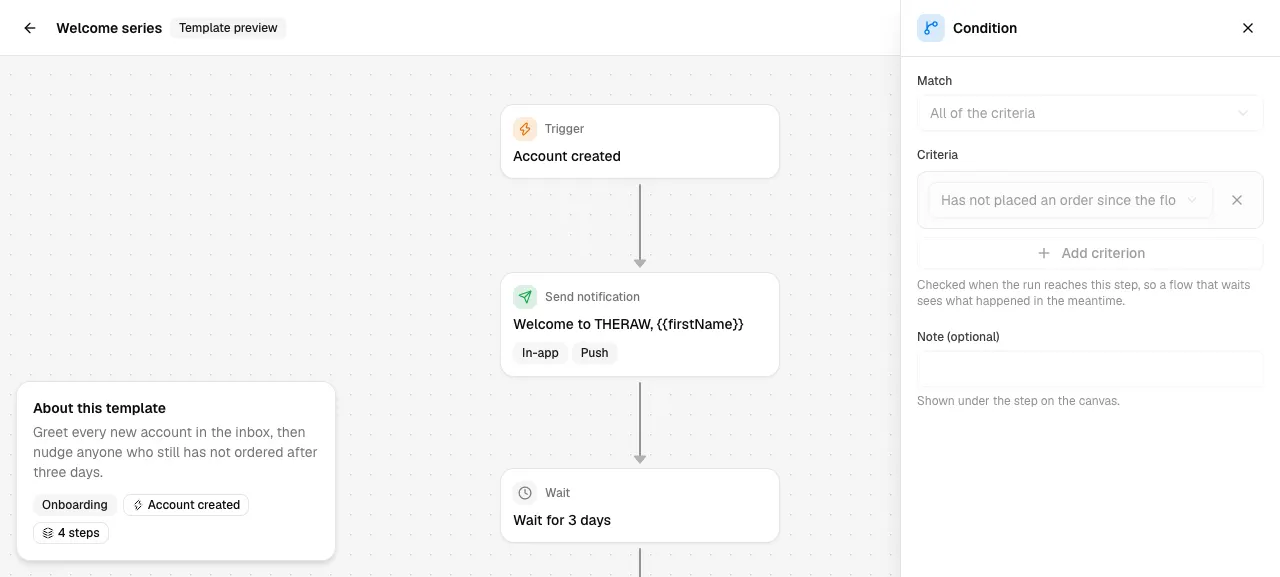
Flow template preview
Install needs admin
Install is disabled with Requires admin role
Needs data: Needs an account whose role is below admin
Flow template preview
Install failed
Toast Could not install the template; the button re-enables
Not reachable on a device: Needs a server error, crash, race or code change
Flow editor
Review before turning on
Toast Review N issues before turning on: <first issue>; the first bad step is selected
Needs data: Needs a flow row
Flow editor
Test run started
Toast Test run started. Sends the flow to the signed-in admin only, skipping waits
Needs data: Sends a real test push to the signed-in admin; needs a flow row
Flow editor
Unsaved changes
Badge Unsaved changes; Save enables only when dirty and the browser asks before closing the tab
Needs data: Needs a flow row
Discard unsaved changes?
Copy
You have changes that are not saved. Leaving now throws them away.
Needs data: Needs a flow row
Delete this step?
Orphans stay
Nothing is reconnected. The step below it stays on the canvas, disconnected, and shows "Connect this step"
Needs data: Needs a flow row
Flow editor
Template updated
Badge Template updated on the card and an info alert in the panel: the template changed since this flow was saved. Save the flow to use the new text
Needs data: Needs a flow row
Flow editor
Flow does not exist
This flow does not exist. with Back to flows
Needs data: Needs a flow row; an unknown id may throw in Convex instead of rendering this
Recent runs
No runs yet
No runs yet. Turn the flow on, or send a test to yourself.
Needs data: Needs a flow row
Recent runs
Waiting run
Expanded waiting run shows Resumes <time> (relative)
Needs data: Needs a flow row
Flow diagram
Create and retire a template
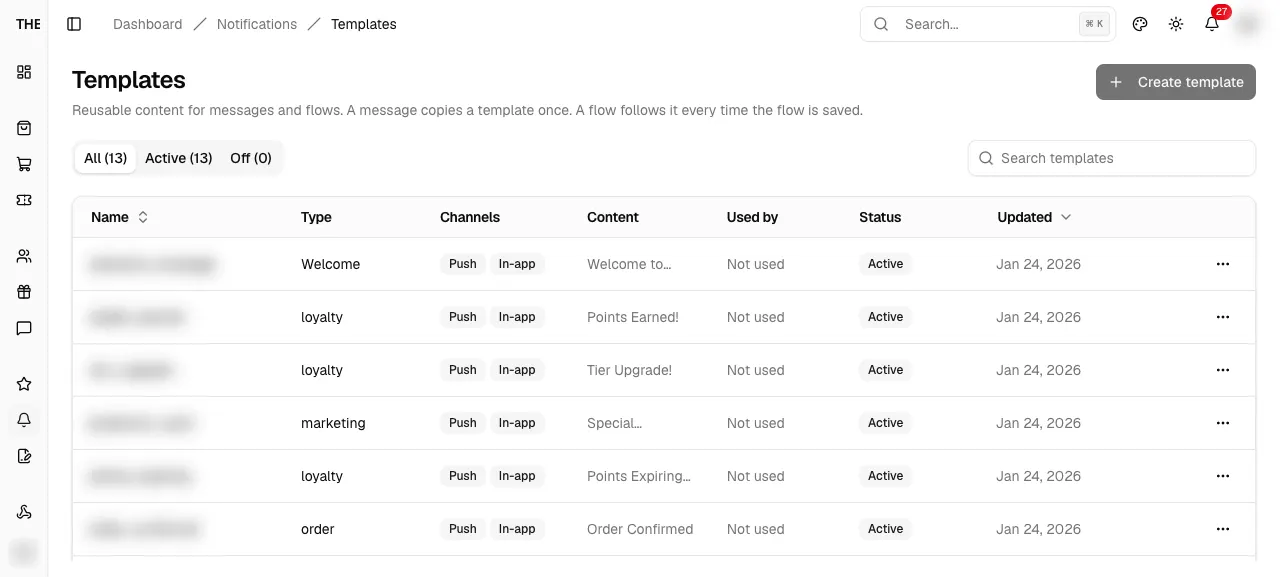
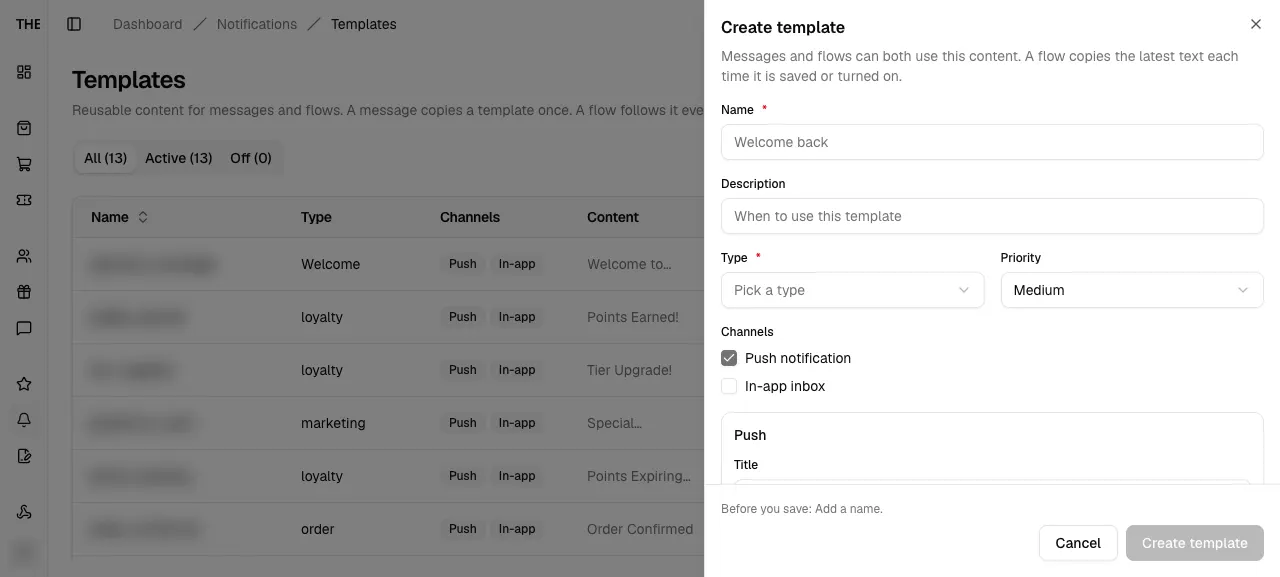
Template editor
Saved
Toast Template created or Template updated, sheet closes
Needs data: Needs specific backend rows, a role, or a submitted write on a disposable record
Delete template
Used by flows
Names the flows; they keep the text they last copied and show a review issue until a new template is picked
Needs data: Needs a notification template row
Branches and edge cases
Templates
No templates yet
Dashed card: Write a message once, then use it in messages and flows. Create template shows for admins
Needs data: Needs specific backend rows, a role, or a submitted write on a disposable record
Templates
Create template needs admin
Create template is disabled with Requires admin role; the row menu opens templates as View
Needs data: Needs an account whose role is below admin
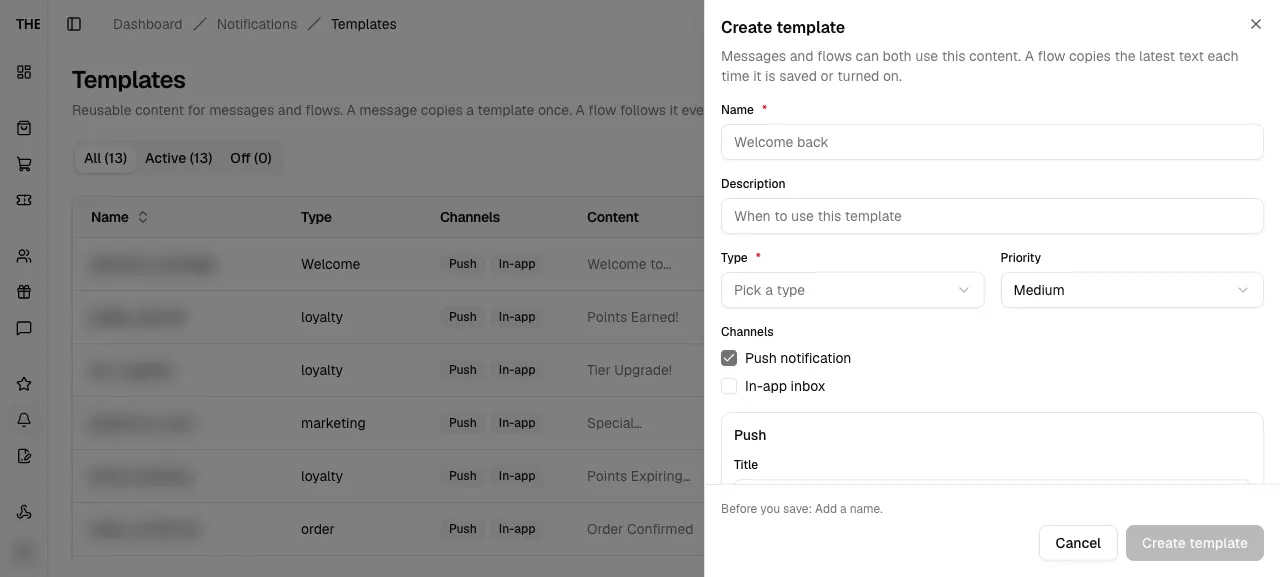
Templates
Used by popover
Not used, 1 flow or N flows; the popover lists each flow with On or Off and links to the editor
Needs data: Needs specific backend rows, a role, or a submitted write on a disposable record
Templates
Row action toasts
Server message or fallback; Duplicate adds "<name> (copy)" switched off
Needs data: Needs specific backend rows, a role, or a submitted write on a disposable record
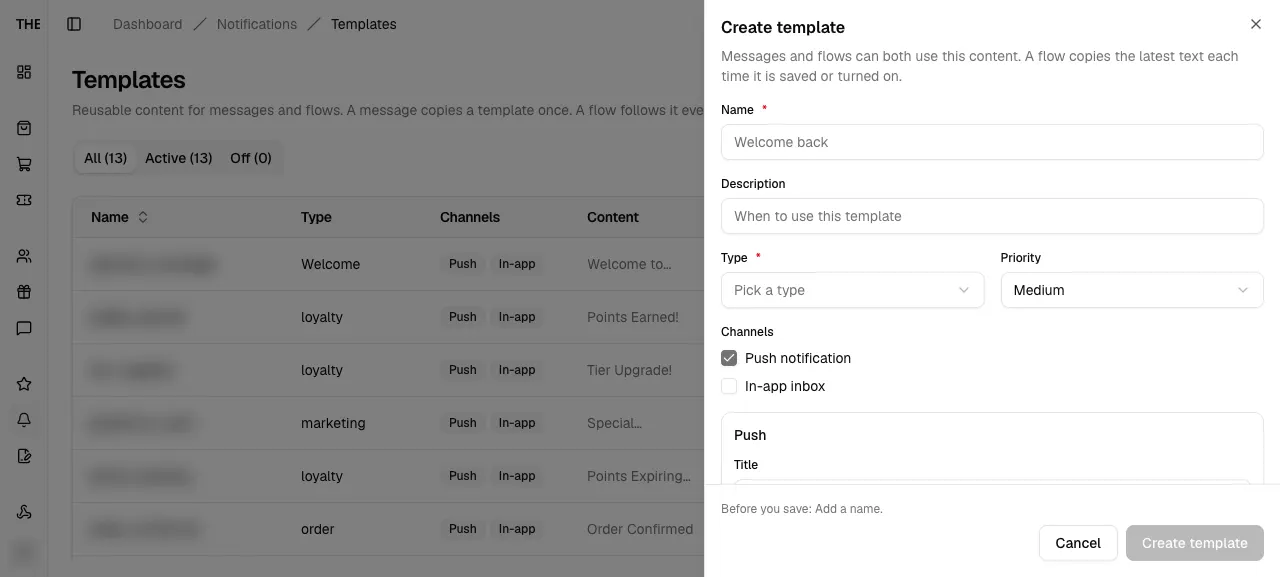
Template editor
Save failed
Toast Could not save the template
Not reachable on a device: Needs a server error, crash, race or code change
Template editor
View only below admin
Fieldset disabled and the footer shows Close without a save button
Needs data: Needs an account whose role is below admin
Delete template
Turn off only when active
The Turn off button shows only while the template is active
Needs data: Needs a notification template row
Flow diagram
Screens and states
Notifications
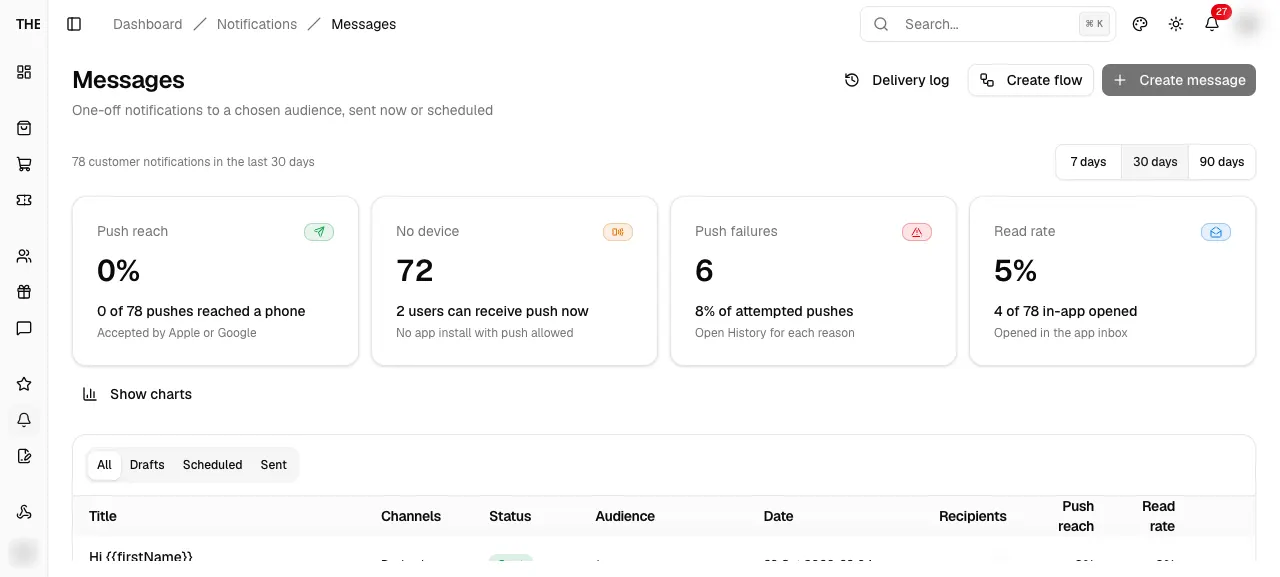
dashboard/notificationsNotifications
Parent route. It redirects to Messages; the sidebar group opens Messages, Flows and Templates.
src/app/dashboard/notifications/page.tsxEntry
- Sidebar Notifications
- Bell View all notifications
Exits
- Redirect to /dashboard/notifications/messages
States · 2
src/app/dashboard/notifications/page.tsx:4src/app/dashboard/notifications/loading.tsx:8Captured states
Messages
dashboard/notifications/messagesMessages
One-off notifications to a chosen audience, sent now or scheduled. Delivery overview on top, message table below.
src/app/dashboard/notifications/messages/page.tsxEntry
- Sidebar Notifications > Messages
- Redirect from /dashboard/notifications
- Back from editor, results and delivery log
- Shortcut n then m
Exits
- Create message (admin) → /messages/new
- Create flow → /flows
- Delivery log → /messages/log
- Row title or View results → /messages/[id]
- Duplicate → new draft
- Cancel or Delete → MessageActionDialog
States · 14
src/app/dashboard/notifications/messages/page.tsx:12src/features/notifications/messages/components/messages-list.tsx:241src/features/notifications/messages/components/messages-list.tsx:249src/features/notifications/messages/components/messages-list.tsx:108src/features/notifications/messages/components/messages-list.tsx:216src/features/notifications/messages/components/messages-list.tsx:125src/features/notifications/messages/components/messages-list.tsx:331src/features/notifications/messages/components/messages-list.tsx:290src/features/notifications/messages/components/messages-list.tsx:397src/features/notifications/messages/components/messages-list.tsx:190src/features/notifications/messages/components/messages-list.tsx:140src/features/notifications/messages/components/messages-list.tsx:144src/features/notifications/messages/components/messages-list.tsx:156src/features/notifications/messages/components/messages-list.tsx:162Captured states
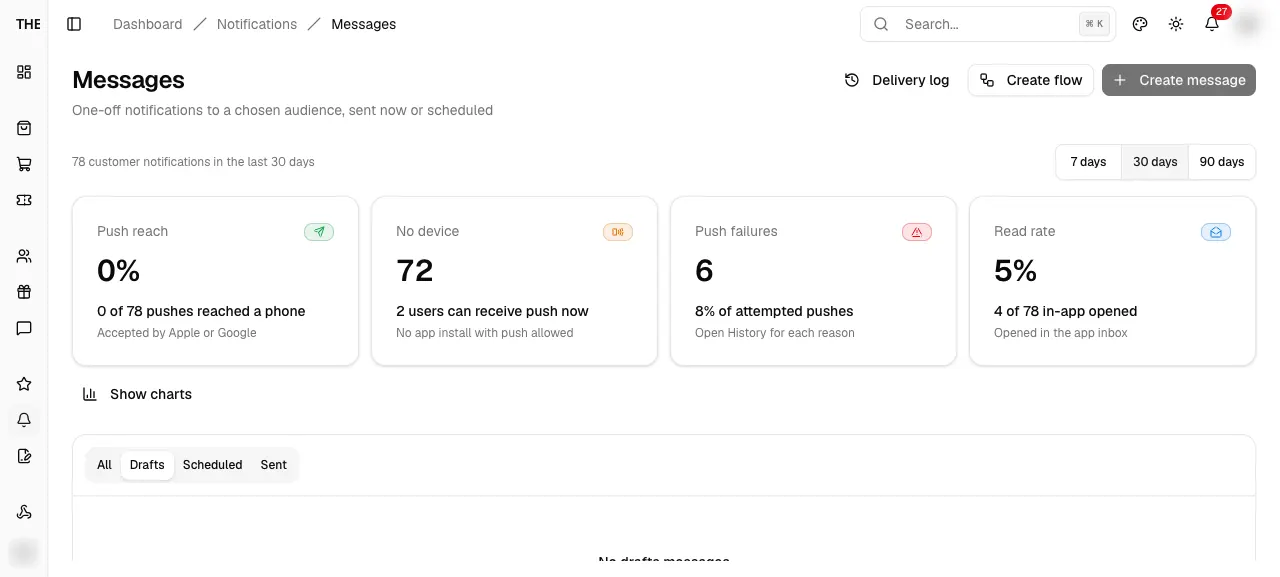
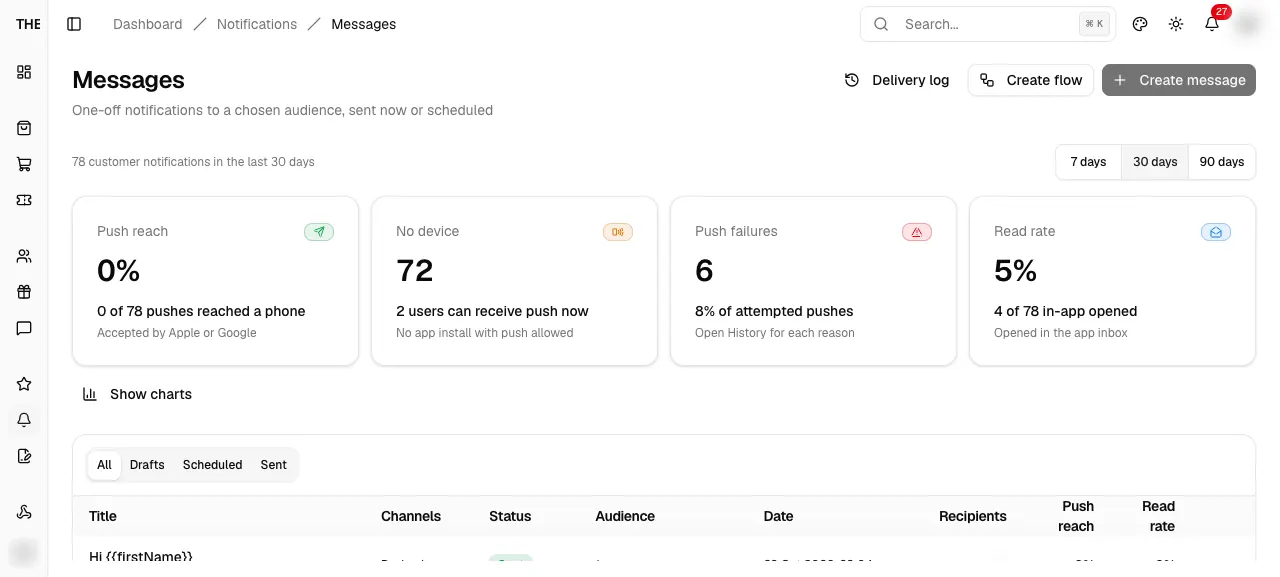
Delivery overview
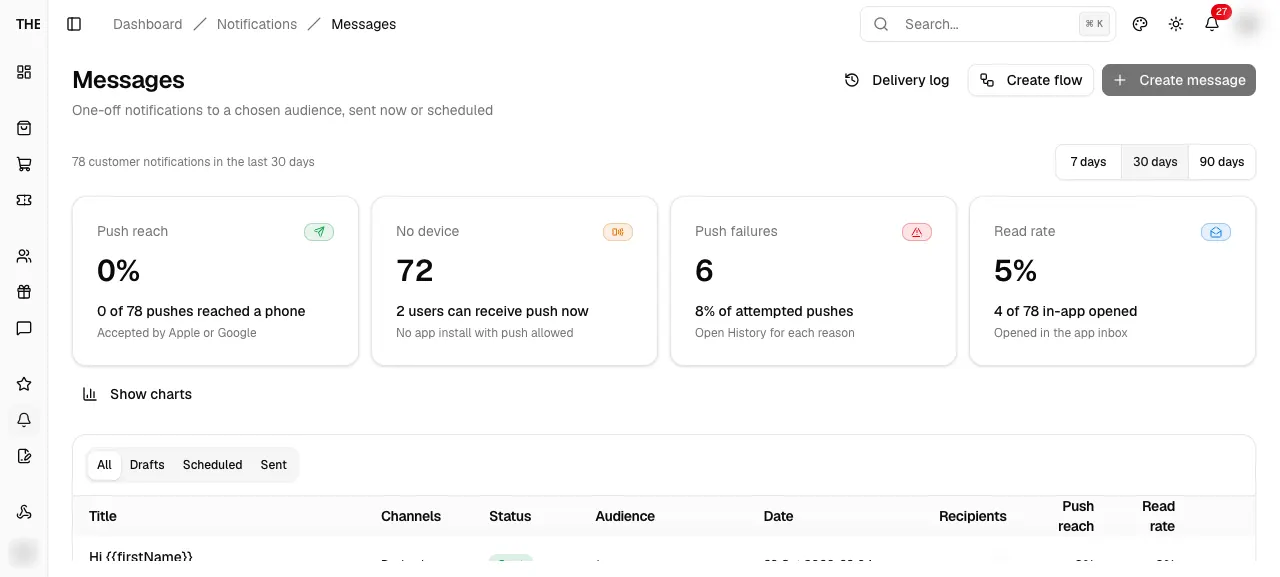
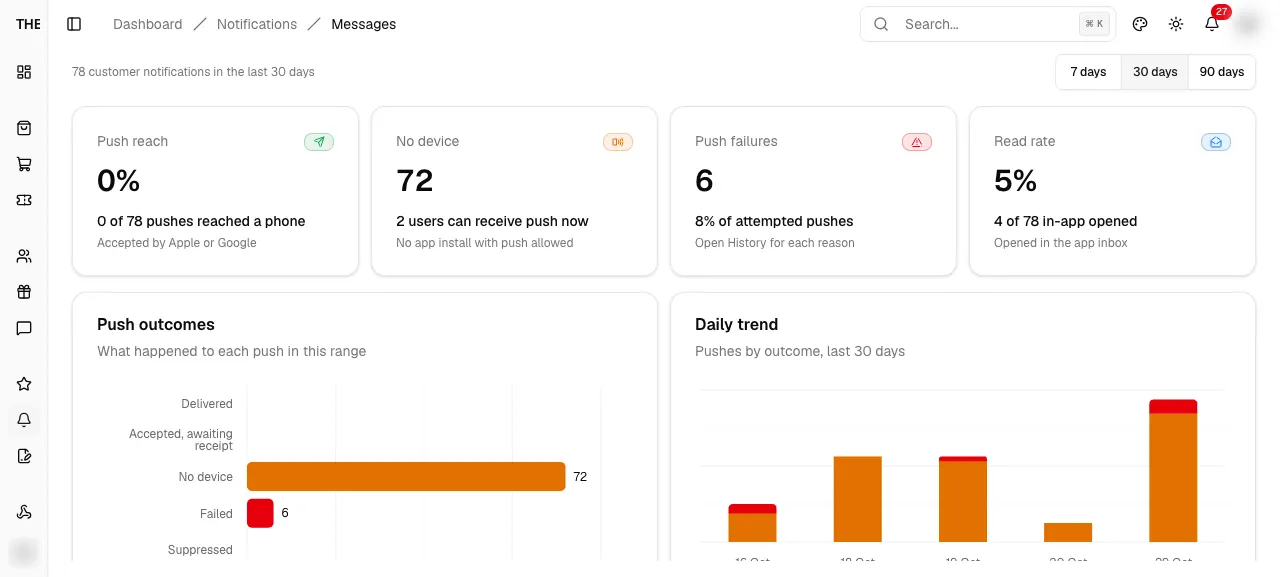
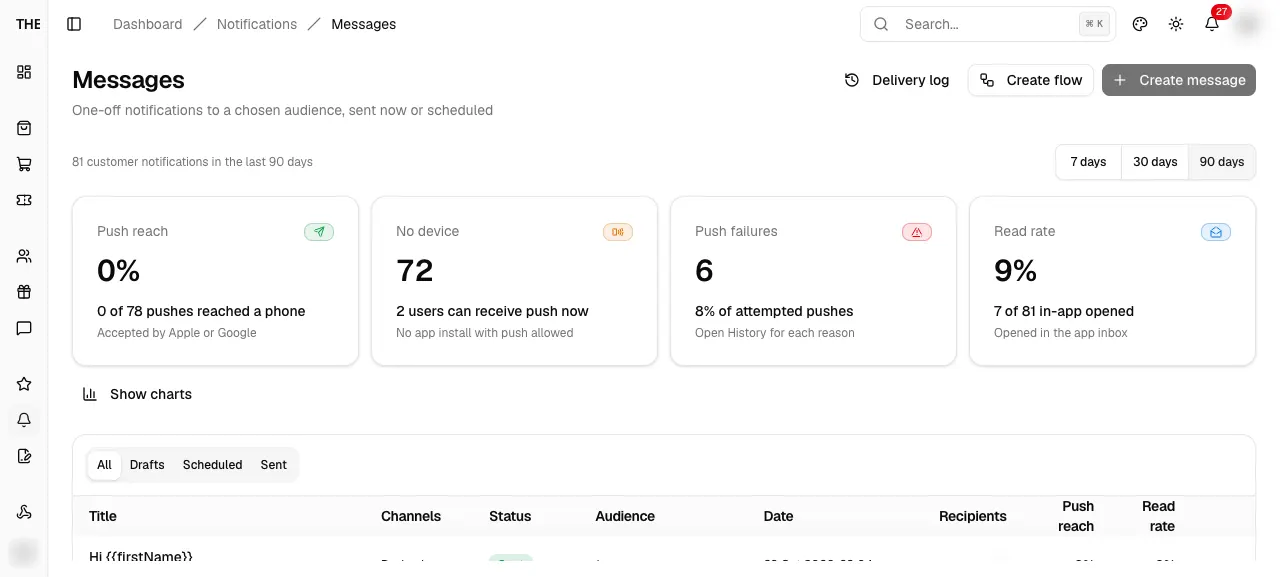
NotificationStatsStripDelivery overview
Push reach, No device, Push failures and Read rate cards with a 7, 30 or 90 day range. Two charts open under Show charts.
src/features/notifications/components/notification-stats-charts.tsxEntry
- Top of Messages
Exits
- Range control
- Show charts toggle
States · 8
src/features/notifications/components/notification-stats-charts.tsx:371src/features/notifications/components/notification-stats-charts.tsx:72src/features/notifications/components/notification-stats-charts.tsx:416src/features/notifications/components/notification-stats-charts.tsx:188src/features/notifications/components/notification-stats-charts.tsx:280src/features/notifications/components/notification-stats-charts.tsx:274src/features/notifications/components/notification-stats-charts.tsx:362src/features/notifications/components/notification-stats-charts.tsx:45Captured states
Cancel or delete a message
Cancel or delete a message
Needs data: Needs a draft, scheduled or cancelled message row
MessageActionDialogCancel or delete a message
Confirm from the Messages row menu. Cancel applies to scheduled messages, Delete to drafts and cancelled ones.
src/features/notifications/messages/components/messages-list.tsxEntry
- Row menu Cancel
- Row menu Delete
Exits
- Cancel message / Delete → mutation
- Keep → close
States · 2
src/features/notifications/messages/components/messages-list.tsx:412src/features/notifications/messages/components/messages-list.tsx:413New message
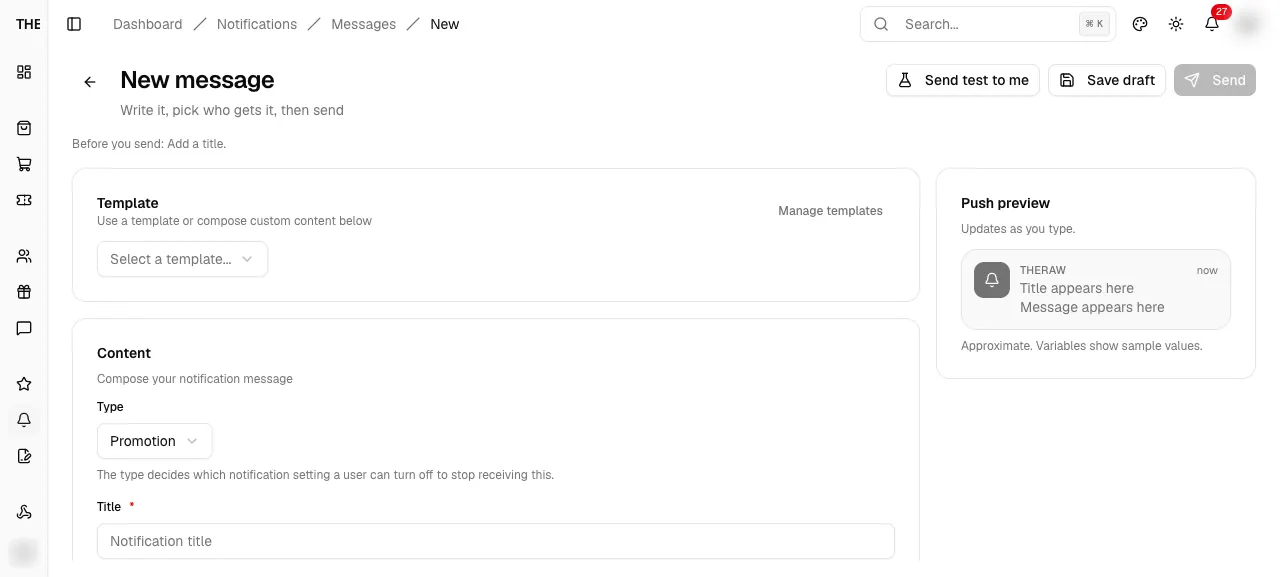
dashboard/notifications/messages/newNew message
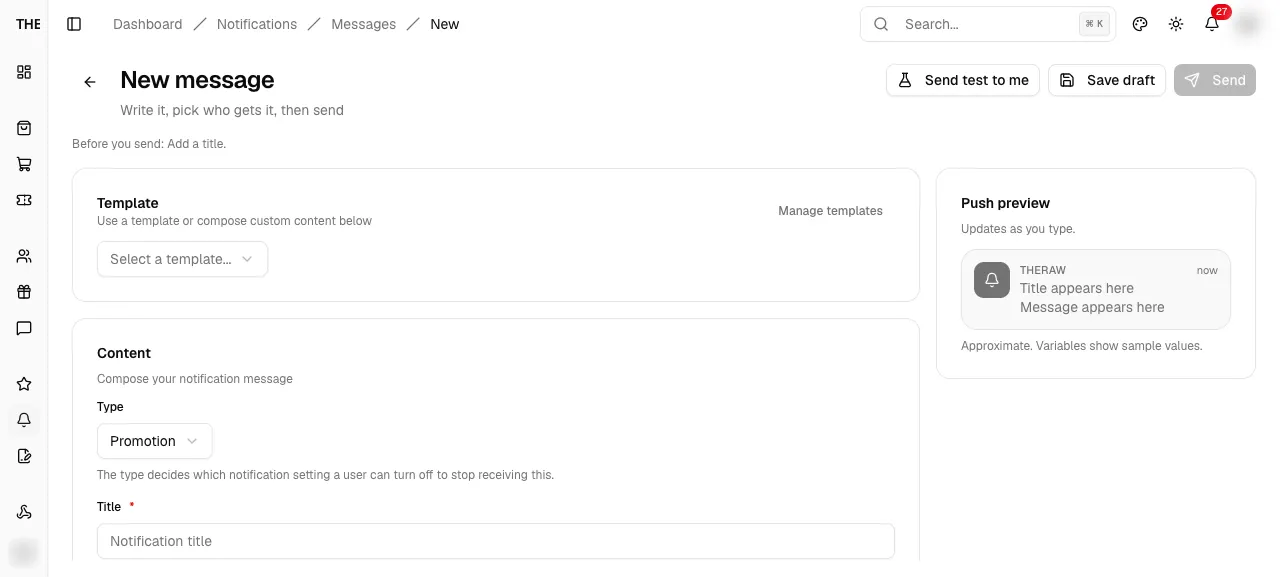
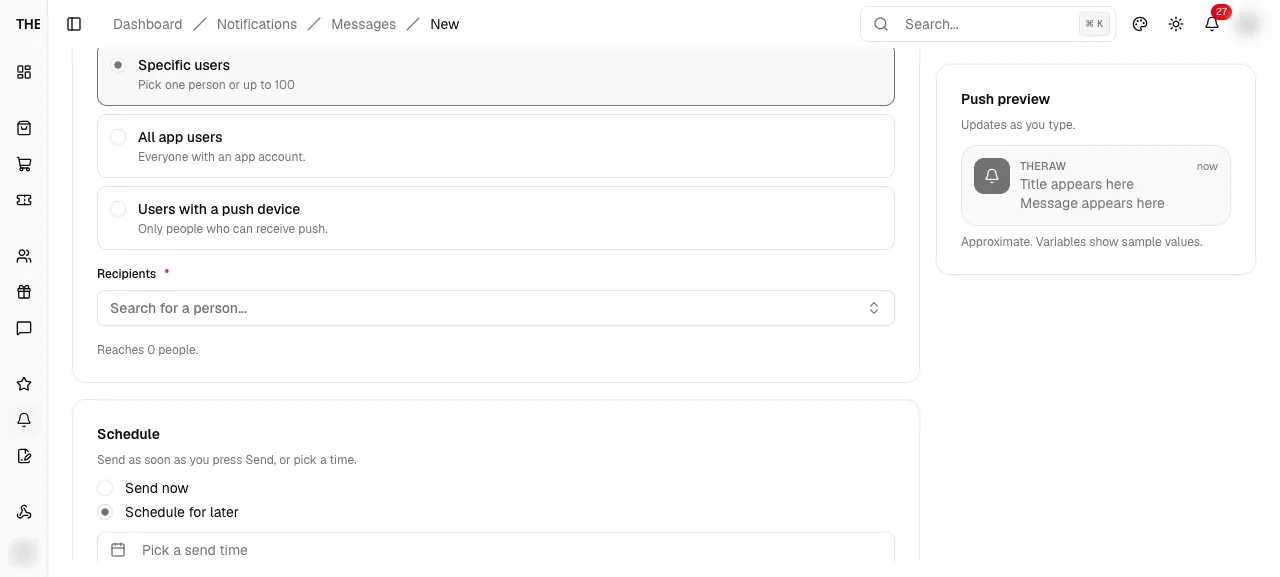
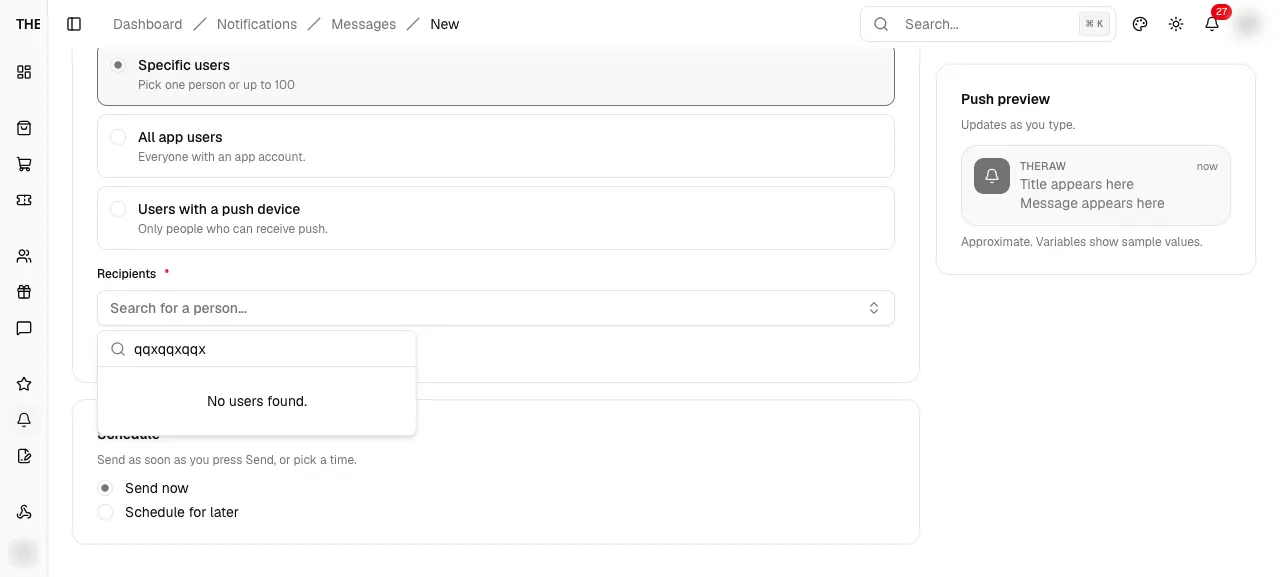
Write a push and in-app message, pick the audience, then send now or schedule. Same editor opens for a saved draft.
src/app/dashboard/notifications/messages/new/page.tsxEntry
- Messages > Create message
- Empty state Create message
Exits
- Back arrow → Messages (confirms when dirty)
- Save draft → /messages/[id]
- Send or Schedule → MessageSendDialog
- Send test to me → push to the signed-in admin
- Manage templates → /templates
States · 27
src/app/dashboard/notifications/messages/new/page.tsx:12src/features/notifications/messages/components/message-editor.tsx:358src/features/notifications/messages/components/message-editor.tsx:364src/features/notifications/messages/components/message-editor.tsx:344src/features/notifications/messages/components/message-editor.tsx:291src/features/notifications/components/sections/content-editor.tsx:90src/features/notifications/components/sections/content-editor.tsx:91src/features/notifications/components/sections/content-editor.tsx:258src/features/notifications/components/sections/template-loader.tsx:92src/features/notifications/components/notification-preview.tsx:57src/features/notifications/components/sections/content-editor.tsx:325src/features/notifications/messages/components/message-editor.tsx:178src/features/notifications/messages/components/message-editor.tsx:180src/features/notifications/messages/components/audience-section.tsx:280src/features/notifications/messages/components/audience-section.tsx:283src/features/notifications/messages/components/audience-section.tsx:282src/features/notifications/messages/components/audience-section.tsx:193src/features/notifications/messages/components/audience-section.tsx:204src/features/notifications/messages/components/message-editor.tsx:482src/features/notifications/messages/components/message-editor.tsx:488src/features/notifications/messages/components/message-editor.tsx:219src/features/notifications/messages/components/message-editor.tsx:222src/features/notifications/messages/components/message-editor.tsx:253src/features/notifications/messages/components/message-editor.tsx:269src/features/notifications/messages/components/message-editor.tsx:271src/features/notifications/messages/components/message-editor.tsx:239src/features/notifications/messages/components/message-editor.tsx:244Captured states
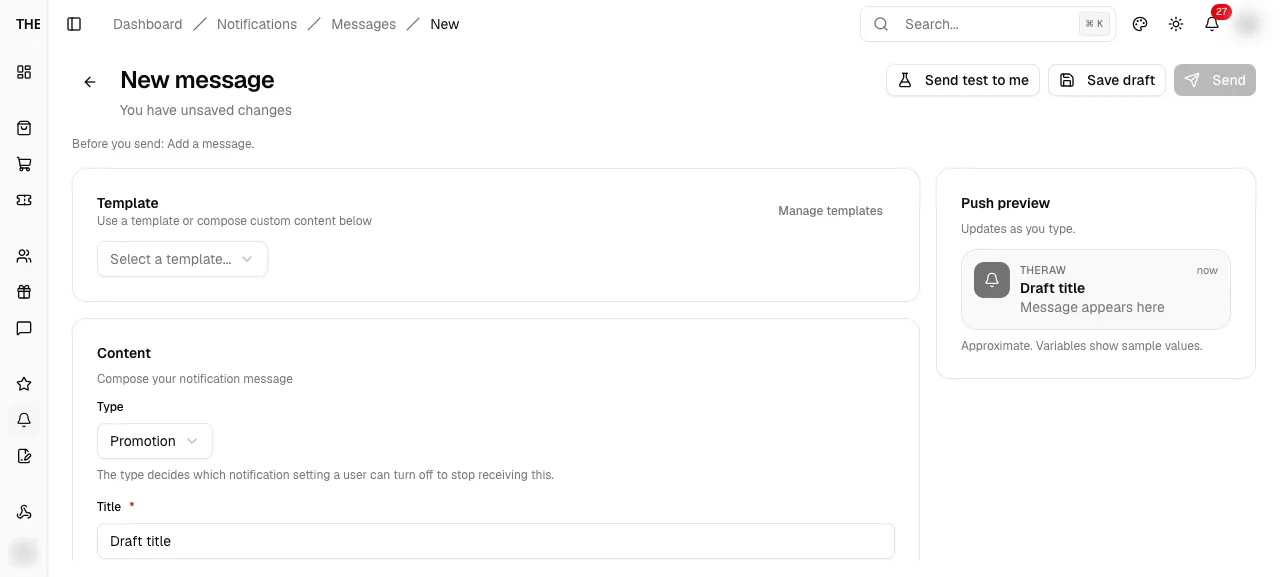
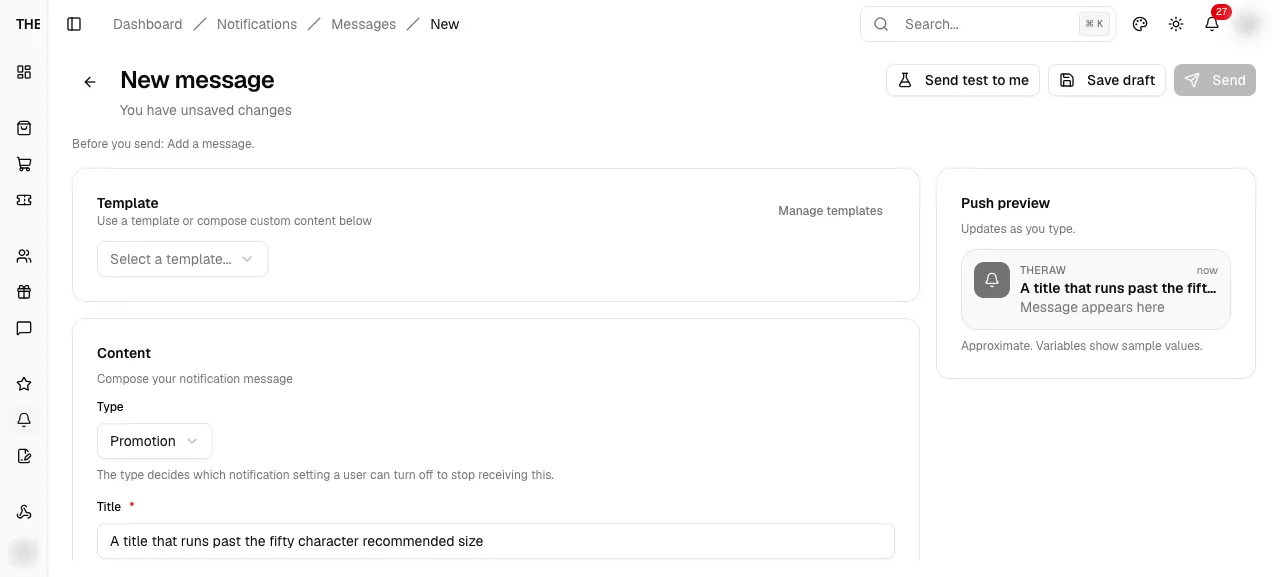
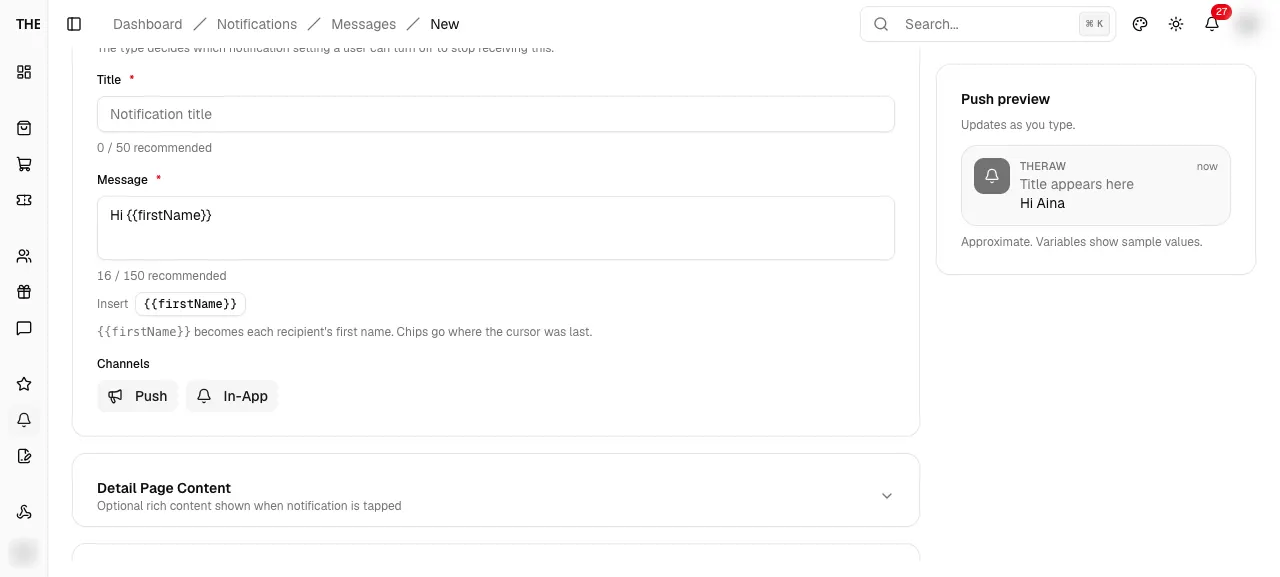
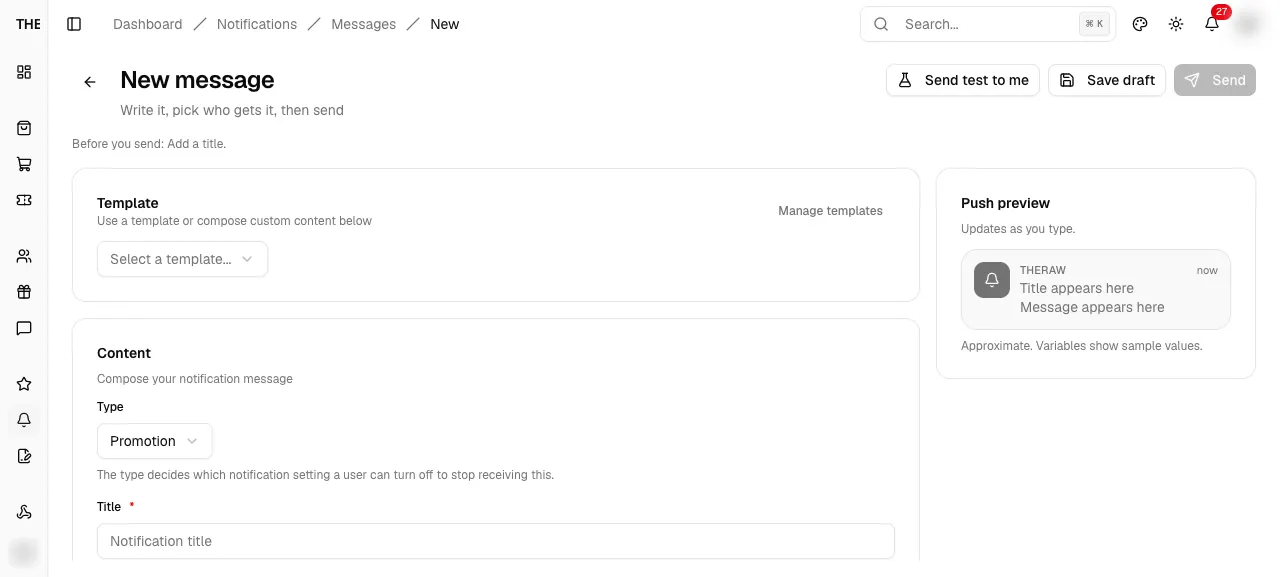
Send or schedule this message?
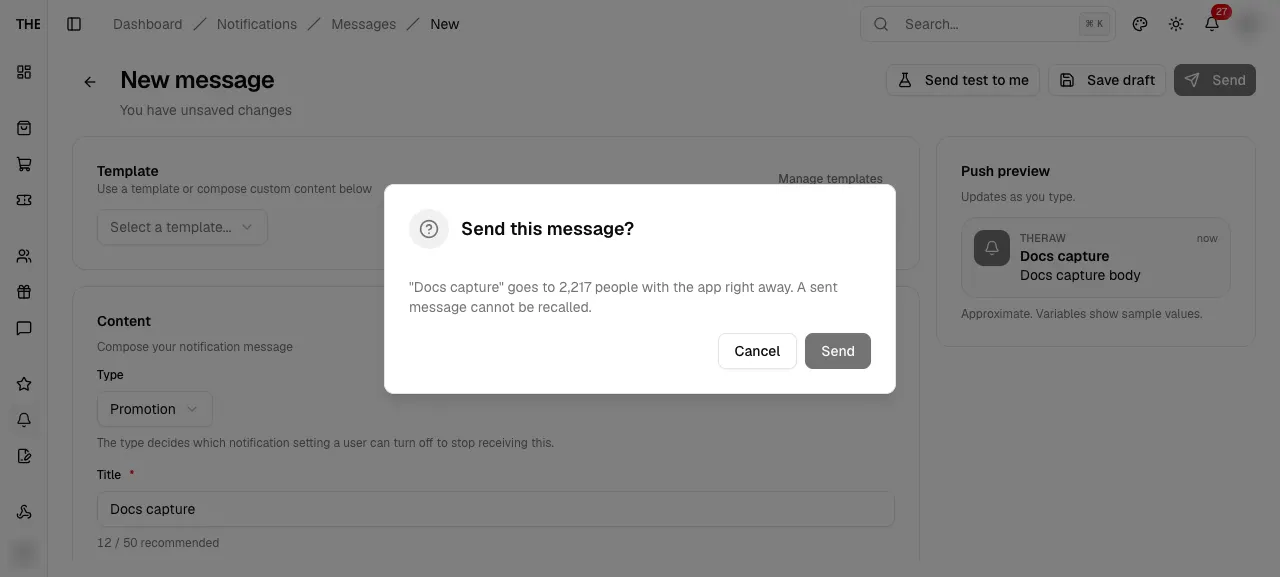
MessageSendDialogSend or schedule this message?
Final confirm. It names the audience and warns that a sent message cannot be recalled.
src/features/notifications/messages/components/message-editor.tsxEntry
- Send or Schedule button
Exits
- Send or Schedule → save draft then send
- Cancel → close
States · 3
src/features/notifications/messages/components/message-editor.tsx:528src/features/notifications/messages/components/message-editor.tsx:527src/features/notifications/messages/components/message-editor.tsx:134Captured states
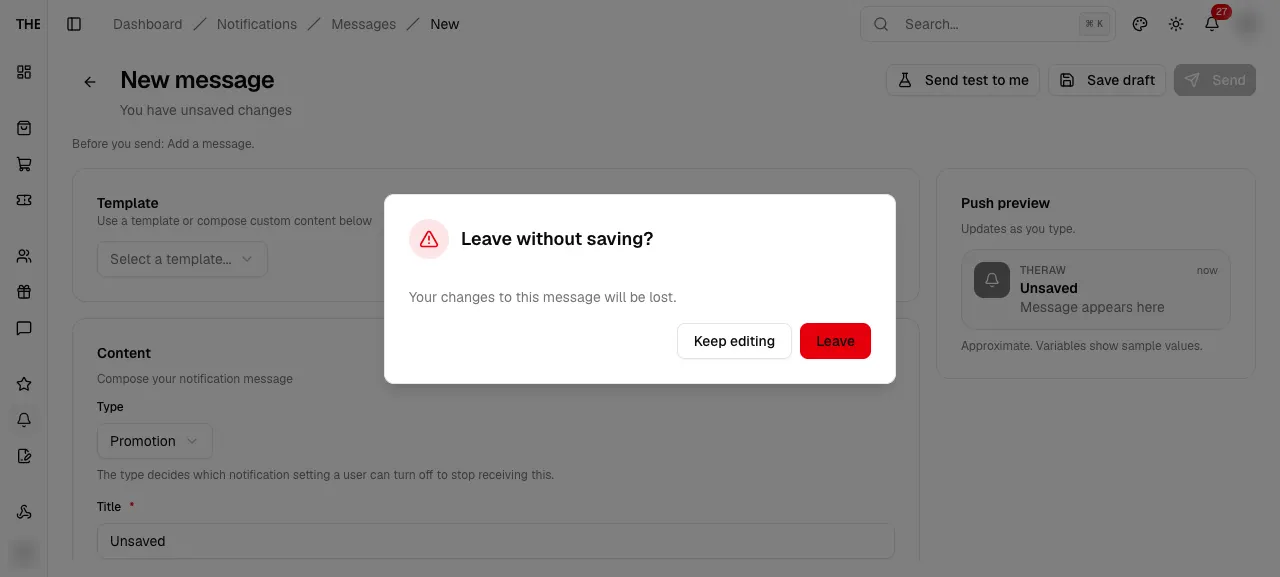
Leave without saving?
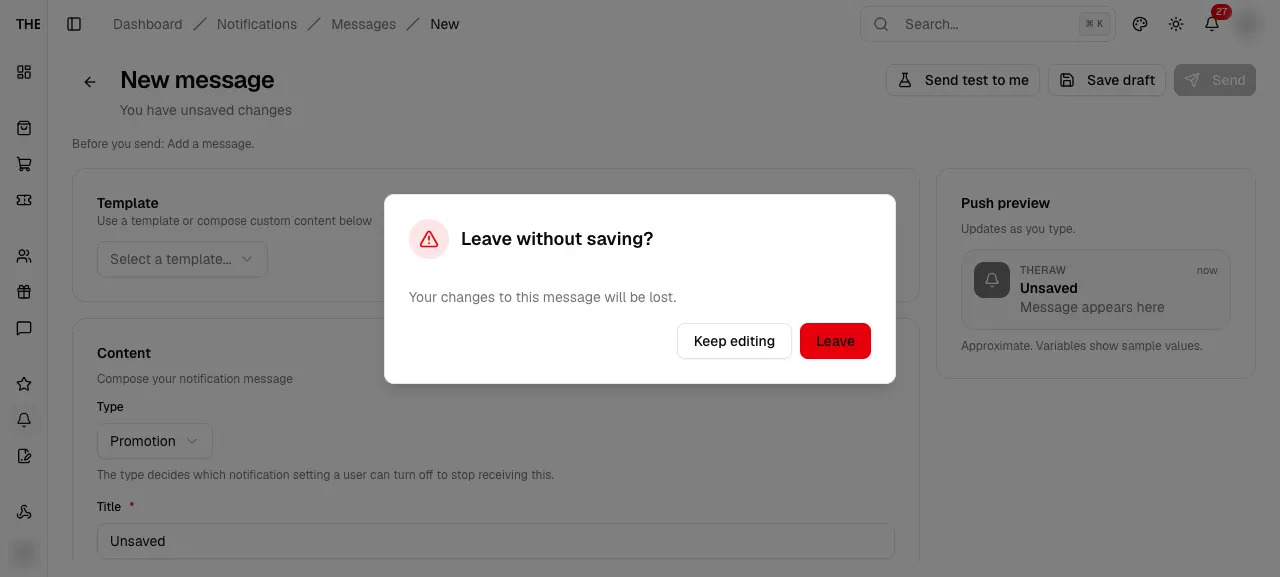
MessageLeaveDialogLeave without saving?
Shown when Back is pressed with unsaved edits.
src/features/notifications/messages/components/message-editor.tsxEntry
- Back arrow with unsaved changes
Exits
- Leave → Messages
- Keep editing → close
States · 1
src/features/notifications/messages/components/message-editor.tsx:537Captured states
Message
Message
Needs data: Needs a message row
dashboard/notifications/messages/[id]Message
A draft opens the editor; a scheduled, sending, sent or cancelled message opens its results.
src/app/dashboard/notifications/messages/[id]/page.tsxEntry
- Messages row title
- After Save draft or Send
- After Duplicate
Exits
- Back arrow → Messages
- Back to messages (not found)
States · 6
src/app/dashboard/notifications/messages/[id]/page.tsx:18src/features/notifications/messages/components/message-page.tsx:15src/features/notifications/messages/components/message-page.tsx:26src/features/notifications/messages/components/message-page.tsx:36src/hooks/use-breadcrumbs.tsx:29src/features/notifications/messages/components/message-page.tsx:39Message results
Message results
Needs data: Needs a scheduled, sent or cancelled message row
MessageResultsMessage results
Status, audience, delivery counts and a recipient table for a message that is no longer a draft.
src/features/notifications/messages/components/message-results.tsxEntry
- /messages/[id] when status is not draft
Exits
- Duplicate → new draft
- Cancel → MessageCancelDialog
- Back arrow → Messages
States · 12
src/features/notifications/messages/components/message-results.tsx:270src/features/notifications/messages/components/message-results.tsx:254src/features/notifications/messages/components/message-results.tsx:259src/features/notifications/messages/components/message-results.tsx:295src/features/notifications/messages/components/message-results.tsx:296src/features/notifications/messages/components/message-results.tsx:93src/features/notifications/messages/components/message-results.tsx:99src/features/notifications/messages/components/message-results.tsx:126src/features/notifications/messages/components/message-results.tsx:224src/features/notifications/messages/components/message-results.tsx:177src/features/notifications/messages/components/message-results.tsx:189src/features/notifications/messages/components/message-results.tsx:192Cancel this scheduled message?
Cancel this scheduled message?
Needs data: Needs a scheduled message row
MessageCancelDialogCancel this scheduled message?
Confirm from the results page. It will not be sent; duplicate it to reuse the content.
src/features/notifications/messages/components/message-results.tsxEntry
- Cancel on a scheduled message
Exits
- Cancel message → mutation
- Keep → close
States · 1
src/features/notifications/messages/components/message-results.tsx:326Delivery log
dashboard/notifications/messages/logDelivery log
Every notification sent to a customer, plus the delivery queue. Replaces the old History and Queue tabs.
src/app/dashboard/notifications/messages/log/page.tsxEntry
- Messages > Delivery log
Exits
- Back arrow → Messages
- History tab
- Queue tab
States · 2
src/app/dashboard/notifications/messages/log/page.tsx:12src/features/notifications/messages/components/delivery-log-view.tsx:17Captured states
History
NotificationsHistoryHistory
Every customer notification with its push outcome. Filter by user, read state, push outcome or text.
src/features/notifications/components/history-panel.tsxEntry
- Delivery log > History
Exits
- View → NotificationDetailSheet
- User picker
- Clear user filter
States · 9
src/features/notifications/components/history-panel.tsx:465src/features/notifications/components/history-panel.tsx:473src/features/notifications/components/history-panel.tsx:474src/features/notifications/components/history-panel.tsx:54src/features/notifications/components/history-panel.tsx:102src/features/notifications/components/history-panel.tsx:416src/features/notifications/components/history-panel.tsx:185src/features/notifications/components/history-panel.tsx:154src/features/notifications/components/history-panel.tsx:444Captured states
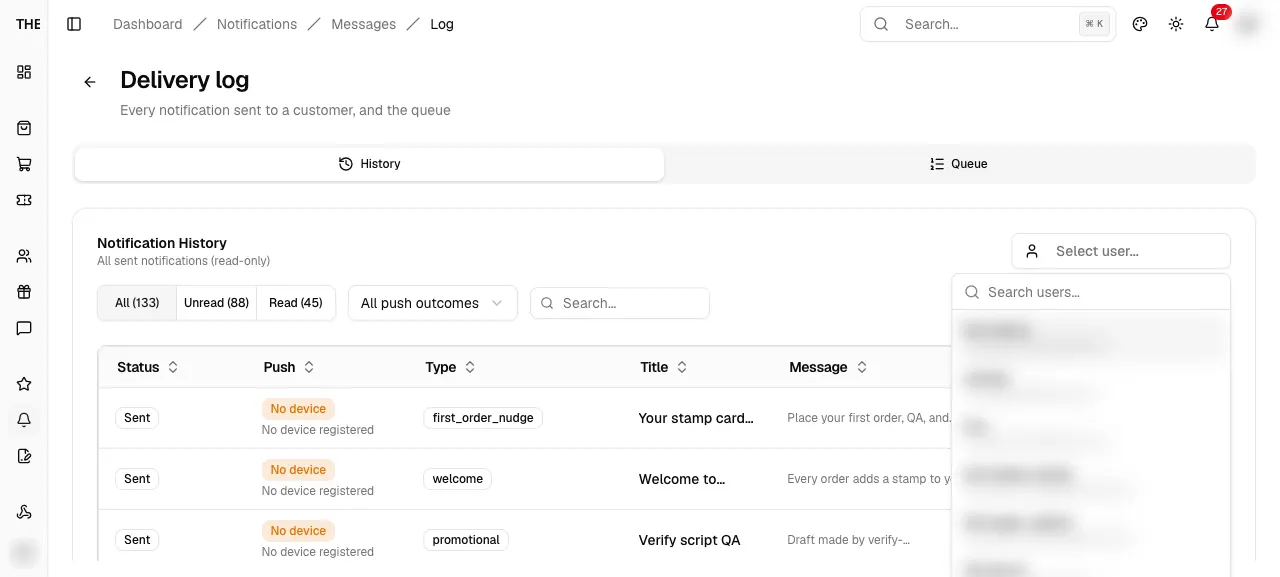
Notification detail
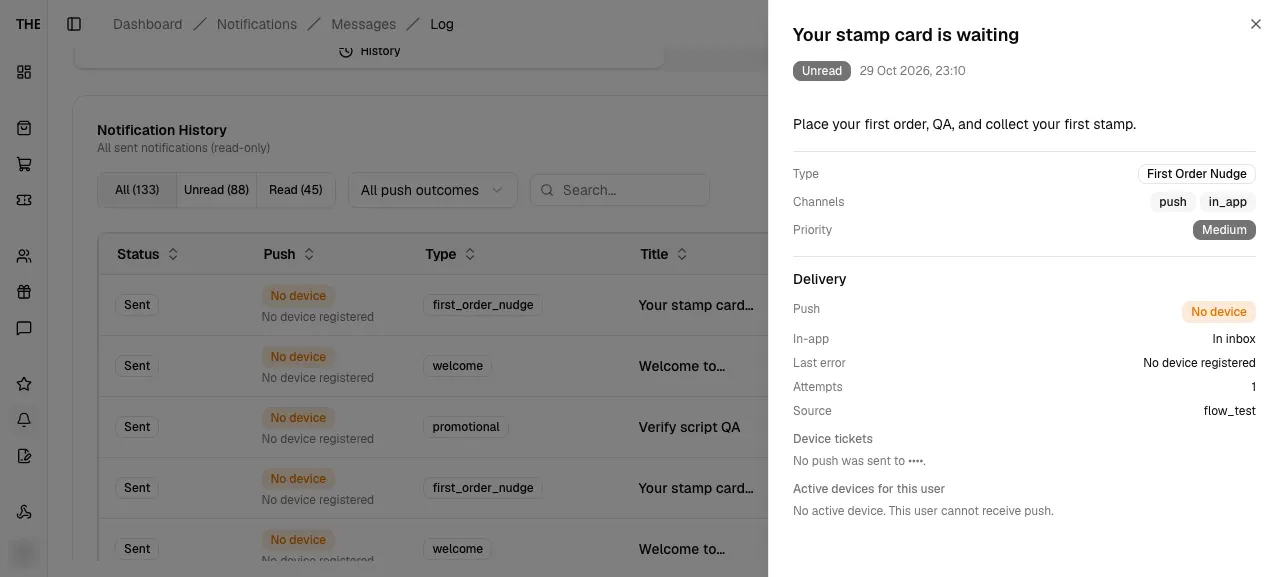
NotificationDetailSheetNotification detail
Title, read state, body, rich detail, metadata and a Delivery section with device tickets.
src/features/notifications/components/notification-detail-sheet.tsxEntry
- History row View
Exits
- Action button → new tab
- Close
States · 6
src/features/notifications/components/notification-detail-sheet.tsx:56src/features/notifications/components/notification-detail-sheet.tsx:61src/features/notifications/components/notification-detail-sheet.tsx:114src/features/notifications/components/notification-detail-sheet.tsx:146src/features/notifications/components/notification-detail-sheet.tsx:93src/features/notifications/components/notification-detail-sheet.tsx:254Queue
NotificationsQueueQueue
Pending and scheduled sends waiting for the processor.
src/features/notifications/components/queue-panel.tsxEntry
- Delivery log > Queue
Exits
- Show or Hide Scheduled
- Cancel (N) → CancelQueueDialog
- Retry Failed
- Process
States · 6
src/features/notifications/components/queue-panel.tsx:413src/features/notifications/components/queue-panel.tsx:417src/features/notifications/components/queue-panel.tsx:83src/features/notifications/components/queue-panel.tsx:262src/features/notifications/components/queue-panel.tsx:264src/features/notifications/components/queue-panel.tsx:77Cancel queued notifications
Cancel queued notifications
Needs data: Needs queued notifications
CancelQueueDialogCancel queued notifications
Cancel selected queued notifications.
src/features/notifications/components/queue-panel.tsxEntry
- Cancel (N) with rows selected
Exits
- Cancel notifications → confirm
- Keep them → close
States · 1
src/features/notifications/components/queue-panel.tsx:368Flows
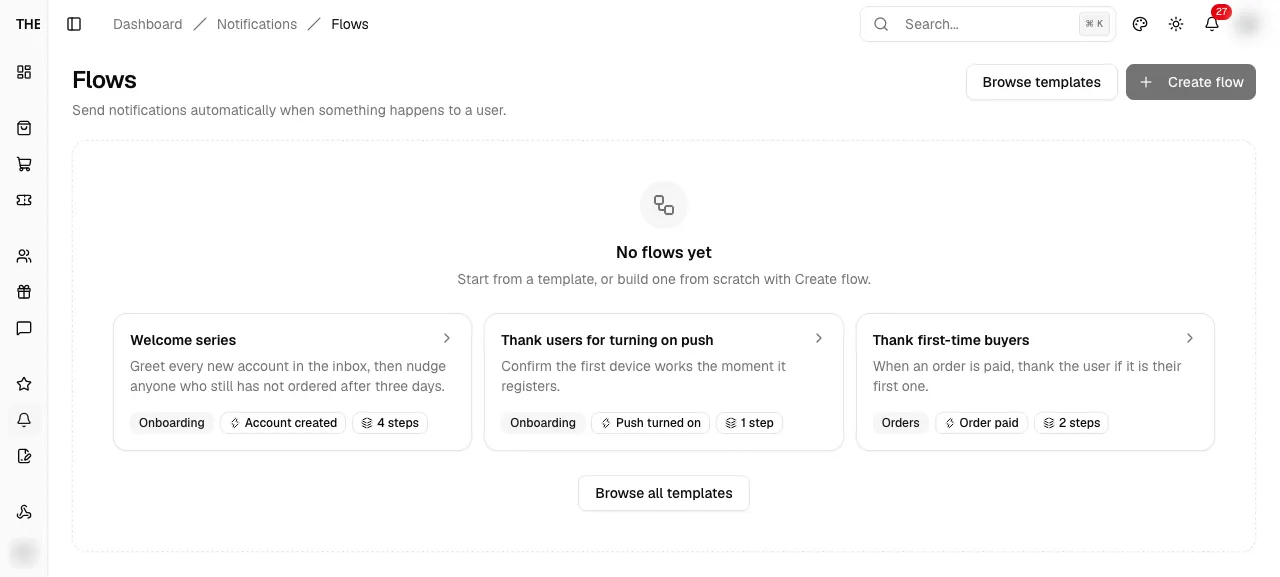
dashboard/notifications/flowsFlows
Automations that send notifications when something happens to a user. List with status tabs and search.
src/app/dashboard/notifications/flows/page.tsxEntry
- Sidebar Notifications > Flows
- Messages > Create flow
- Shortcut n then f
- Back from flow editor and templates gallery
Exits
- Browse templates → /flows/templates
- Create flow (admin) → new flow in /flows/[id]
- Flow name or Edit → /flows/[id]
- Row menu Turn on, Duplicate, Delete
States · 10
src/app/dashboard/notifications/flows/page.tsx:12src/features/notifications/flows/components/flows-list-view.tsx:281src/features/notifications/flows/components/flows-list-view.tsx:232src/features/notifications/flows/components/flows-list-view.tsx:262src/features/notifications/flows/components/flows-list-view.tsx:283src/features/notifications/flows/components/flows-list-view.tsx:57src/features/notifications/flows/components/flows-list-view.tsx:85src/features/notifications/flows/components/flows-list-view.tsx:212src/features/notifications/flows/components/flows-list-view.tsx:192src/features/notifications/flows/components/flow-row-actions.tsx:76Delete this flow?
Delete this flow?
Needs data: Needs a flow row
FlowDeleteDialogDelete this flow?
Confirm from the flows list or the editor menu. Waiting runs are skipped when they wake; history stays.
src/features/notifications/flows/components/flow-row-actions.tsxEntry
- Row menu Delete
- Editor menu Delete
Exits
- Delete flow → mutation
- Cancel → close
States · 1
src/features/notifications/flows/components/flow-row-actions.tsx:146Flow templates
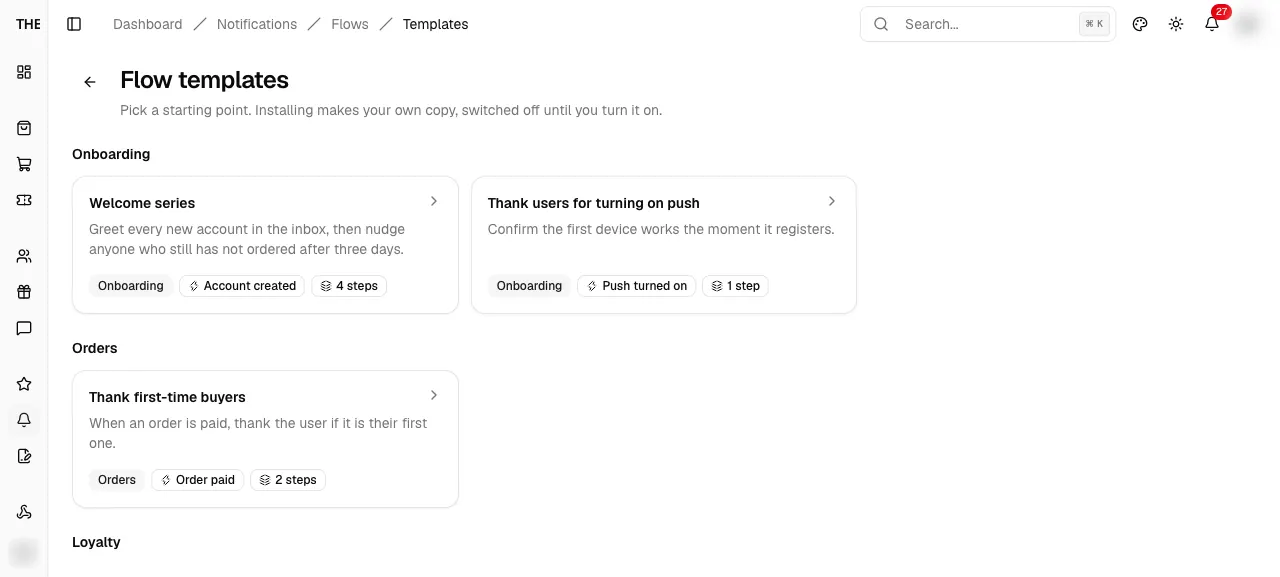
dashboard/notifications/flows/templatesFlow templates
Gallery of starting points grouped by category. Installing makes your own copy, switched off.
src/app/dashboard/notifications/flows/templates/page.tsxEntry
- Flows > Browse templates
- Flows empty state template cards
Exits
- Template card → /flows/templates/[key]
- Back arrow → /flows
States · 4
src/app/dashboard/notifications/flows/templates/page.tsx:12src/features/notifications/flows/components/flow-templates-gallery.tsx:42src/features/notifications/flows/components/flow-templates-gallery.tsx:45src/features/notifications/flows/components/flow-templates-gallery.tsx:45Captured states
Flow template preview
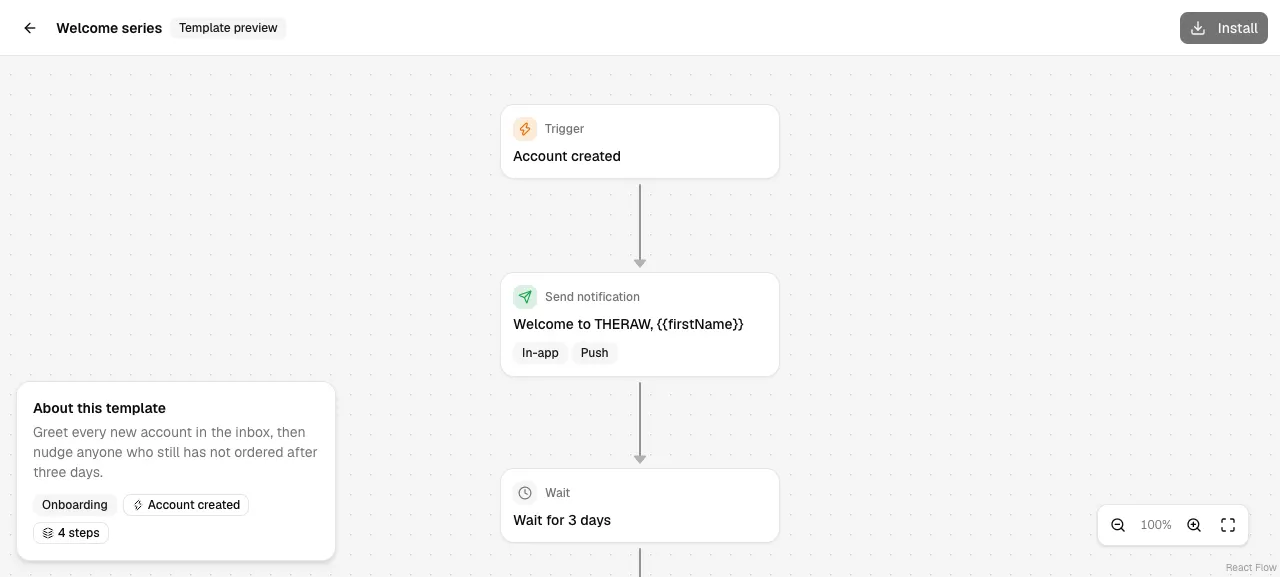
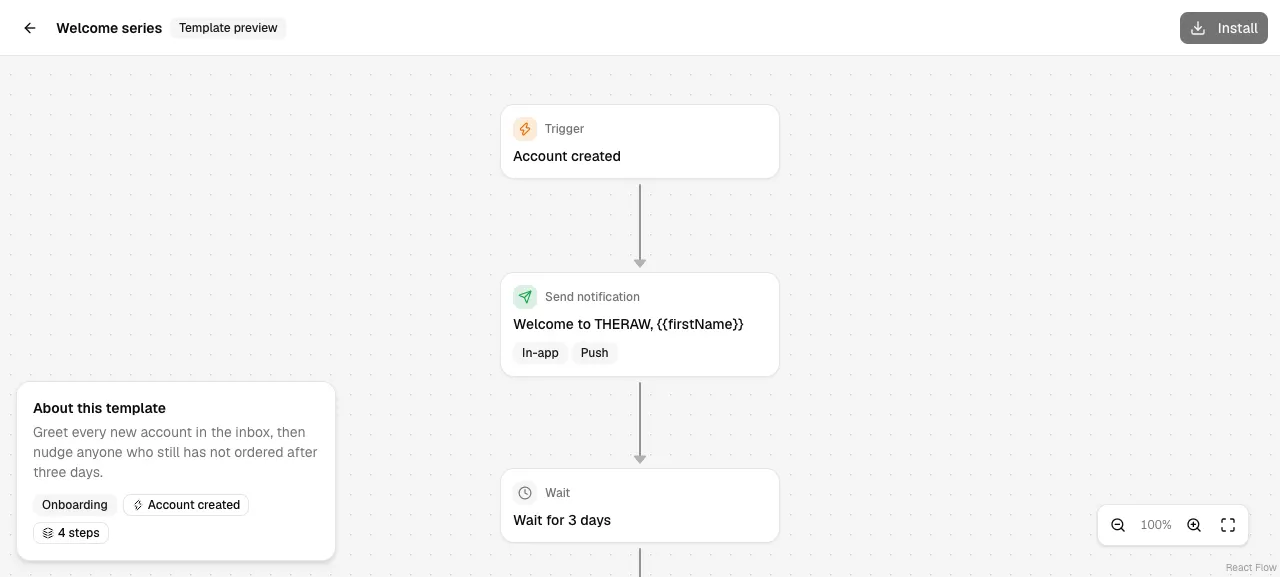
dashboard/notifications/flows/templates/[key]Flow template preview
Full-screen read-only canvas of one template with an About card and Install.
src/app/dashboard/notifications/flows/templates/[key]/page.tsxEntry
- Template card in the gallery or the Flows empty state
Exits
- Install (admin) → new inactive flow in /flows/[id]
- Back arrow → gallery
- Step click → read-only settings panel
States · 9
src/app/dashboard/notifications/flows/templates/[key]/page.tsx:13src/features/notifications/flows/components/flow-template-preview.tsx:90src/features/notifications/flows/components/flow-template-preview.tsx:96src/features/notifications/flows/components/flow-template-preview.tsx:126src/features/notifications/flows/components/flow-node.tsx:69src/features/notifications/flows/components/flow-template-preview.tsx:110src/features/notifications/flows/components/flow-template-preview.tsx:73src/features/notifications/flows/components/flow-template-preview.tsx:46src/features/notifications/flows/components/flow-template-preview.tsx:50Captured states
Flow editor
Flow editor
Needs data: Needs a flow row
dashboard/notifications/flows/[id]Flow editor
Full-screen canvas for one flow: trigger, conditions, waits and send steps, with a side panel for the selected step.
src/app/dashboard/notifications/flows/[id]/page.tsxEntry
- Flows list name or Edit
- After Install, Create flow or Duplicate
- Templates list Used by popover
Exits
- Back arrow → /flows (confirms when dirty)
- Recent runs → RecentRunsSheet
- Save, Turn on or off, Send test to me
- More actions → details, settings, duplicate, delete
States · 18
src/app/dashboard/notifications/flows/[id]/page.tsx:13src/features/notifications/flows/components/flow-editor.tsx:74src/features/notifications/flows/components/flow-editor.tsx:87src/features/notifications/flows/components/flow-editor.tsx:315src/features/notifications/flows/components/flow-editor.tsx:310src/features/notifications/flows/components/flow-editor.tsx:416src/features/notifications/flows/components/flow-node.tsx:84src/features/notifications/flows/utils/validation.ts:48src/features/notifications/flows/components/step-config-panel.tsx:735src/features/notifications/flows/components/flow-canvas.tsx:128src/features/notifications/flows/components/flow-editor.tsx:266src/features/notifications/flows/components/flow-editor.tsx:169src/features/notifications/flows/components/flow-editor.tsx:172src/features/notifications/flows/components/flow-editor.tsx:185src/features/notifications/flows/components/flow-editor.tsx:199src/features/notifications/flows/components/flow-editor.tsx:215src/features/notifications/flows/components/flow-editor.tsx:217src/features/notifications/flows/components/flow-editor.tsx:227Step settings
Step settings
Needs data: Needs a flow row
StepConfigPanelStep settings
Right-hand panel for the trigger or a step: trigger and days, condition criteria, wait, or the notification content.
src/features/notifications/flows/components/step-config-panel.tsxEntry
- Click a step card on the canvas
Exits
- Close panel
- Delete step
States · 8
src/features/notifications/flows/components/step-config-panel.tsx:94src/features/notifications/flows/components/step-config-panel.tsx:297src/features/notifications/flows/components/step-config-panel.tsx:328src/features/notifications/flows/components/step-config-panel.tsx:415src/features/notifications/flows/components/step-config-panel.tsx:437src/features/notifications/flows/components/step-config-panel.tsx:660src/features/notifications/flows/components/step-config-panel.tsx:722src/features/notifications/flows/components/step-config-panel.tsx:741Add step
Add step
Needs data: Needs a flow row
AddStepPopoverAdd step
Popover list of step types (Condition, Wait, Send notification) opened from a plus button under a step.
src/features/notifications/flows/components/add-step-popover.tsxEntry
- Plus button under a step or on a True or False path
Exits
- Pick a type → step added and selected
States · 1
src/features/notifications/flows/components/flow-node.tsx:51Recent runs
Recent runs
Needs data: Needs a flow row
RecentRunsSheetRecent runs
Newest first list of runs for the flow. Open one to see what each step did.
src/features/notifications/flows/components/recent-runs-sheet.tsxEntry
- Editor Recent runs
Exits
- Run row → expand log
- Load more
States · 7
src/features/notifications/flows/components/recent-runs-sheet.tsx:141src/features/notifications/flows/components/recent-runs-sheet.tsx:147src/features/notifications/flows/components/recent-runs-sheet.tsx:24src/features/notifications/flows/components/recent-runs-sheet.tsx:85src/features/notifications/flows/components/recent-runs-sheet.tsx:90src/features/notifications/flows/components/recent-runs-sheet.tsx:93src/features/notifications/flows/components/recent-runs-sheet.tsx:160Description and tags
Description and tags
Needs data: Needs a flow row
FlowDetailsDialogDescription and tags
Edit description and up to 10 lower case tags. Applies when the flow is saved.
src/features/notifications/flows/components/flow-details-dialogs.tsxEntry
- Editor menu Edit description and tags
Exits
- Apply → draft updated
- Cancel → close
States · 1
src/features/notifications/flows/components/flow-details-dialogs.tsx:94Flow settings
Flow settings
Needs data: Needs a flow row
FlowSettingsDialogFlow settings
Limit how often one user can go through the flow: once per user, or a cooldown of 1 to 365 days.
src/features/notifications/flows/components/flow-details-dialogs.tsxEntry
- Editor menu Settings
Exits
- Apply → draft updated
- Cancel → close
States · 1
src/features/notifications/flows/components/flow-details-dialogs.tsx:189Discard unsaved changes?
Discard unsaved changes?
Needs data: Needs a flow row
FlowLeaveDialogDiscard unsaved changes?
Shown when Back is pressed with unsaved edits.
src/features/notifications/flows/components/flow-editor.tsxEntry
- Back arrow with unsaved changes
Exits
- Discard and leave → /flows
- Cancel → close
States · 1
src/features/notifications/flows/components/flow-editor.tsx:478Delete this step?
Delete this step?
Needs data: Needs a flow row
FlowStepDeleteDialogDelete this step?
Confirm before a step is removed. Steps below it stay on the canvas, disconnected.
src/features/notifications/flows/components/flow-editor.tsxEntry
- Delete step in the panel
- Delete key on a selected step
Exits
- Delete step → removed
- Cancel → close
States · 1
src/features/notifications/flows/components/flow-editor.tsx:501Templates
dashboard/notifications/templatesTemplates
Reusable content for messages and flows. A message copies a template once; a flow follows it each time the flow is saved.
src/app/dashboard/notifications/templates/page.tsxEntry
- Sidebar Notifications > Templates
- Message editor Manage templates
- Shortcut n then t
Exits
- Create template (admin) → TemplateEditorSheet
- Name or Edit → TemplateEditorSheet via ?edit=
- Used by → popover of flows
- Row menu Duplicate, Turn on or off, Delete
States · 10
src/app/dashboard/notifications/templates/page.tsx:12src/features/notifications/templates/components/templates-list-view.tsx:323src/features/notifications/templates/components/templates-list-view.tsx:292src/features/notifications/templates/components/templates-list-view.tsx:306src/features/notifications/templates/components/templates-list-view.tsx:325src/features/notifications/templates/components/templates-list-view.tsx:64src/features/notifications/templates/components/templates-list-view.tsx:265src/features/notifications/templates/components/templates-list-view.tsx:270src/features/notifications/templates/components/template-row-actions.tsx:87src/features/notifications/templates/components/template-row-actions.tsx:80Captured states
Template editor
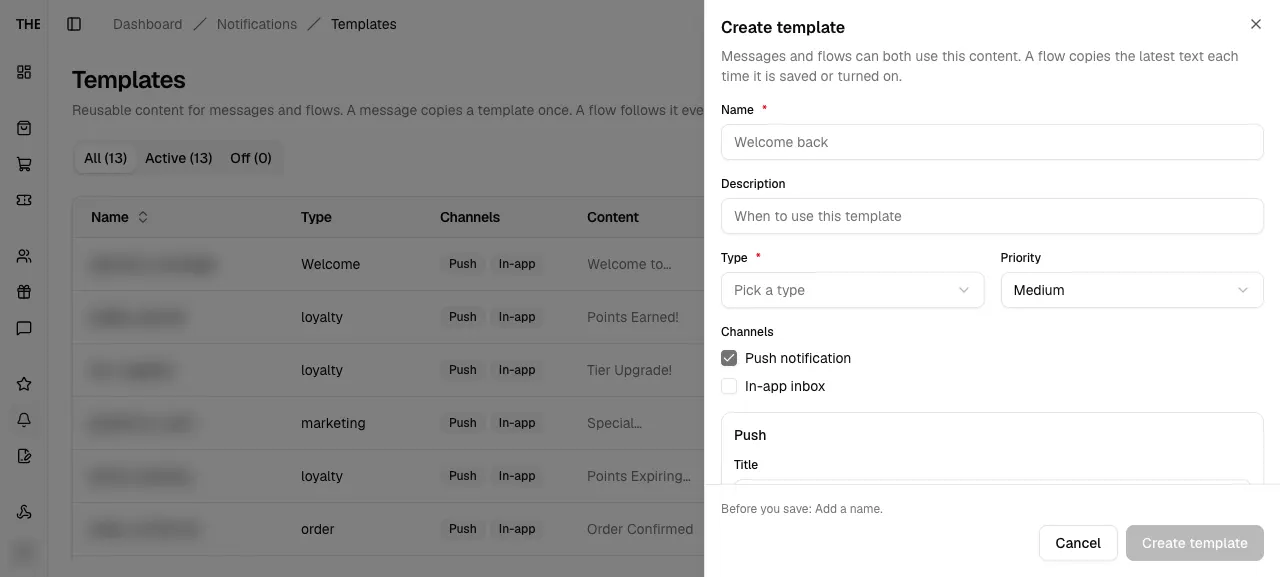
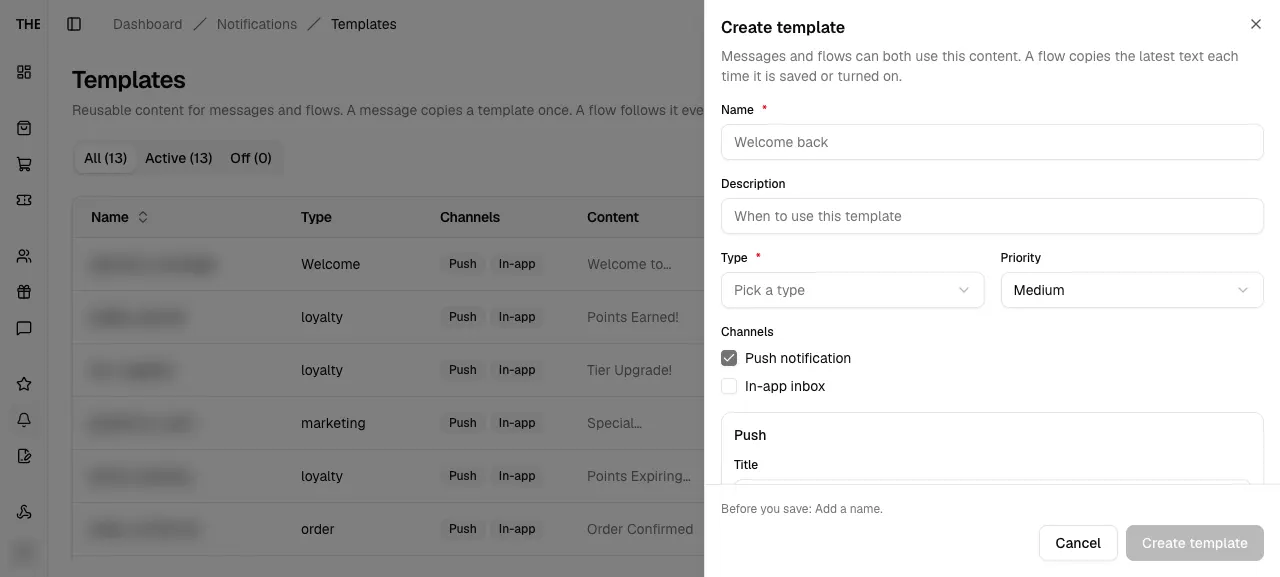
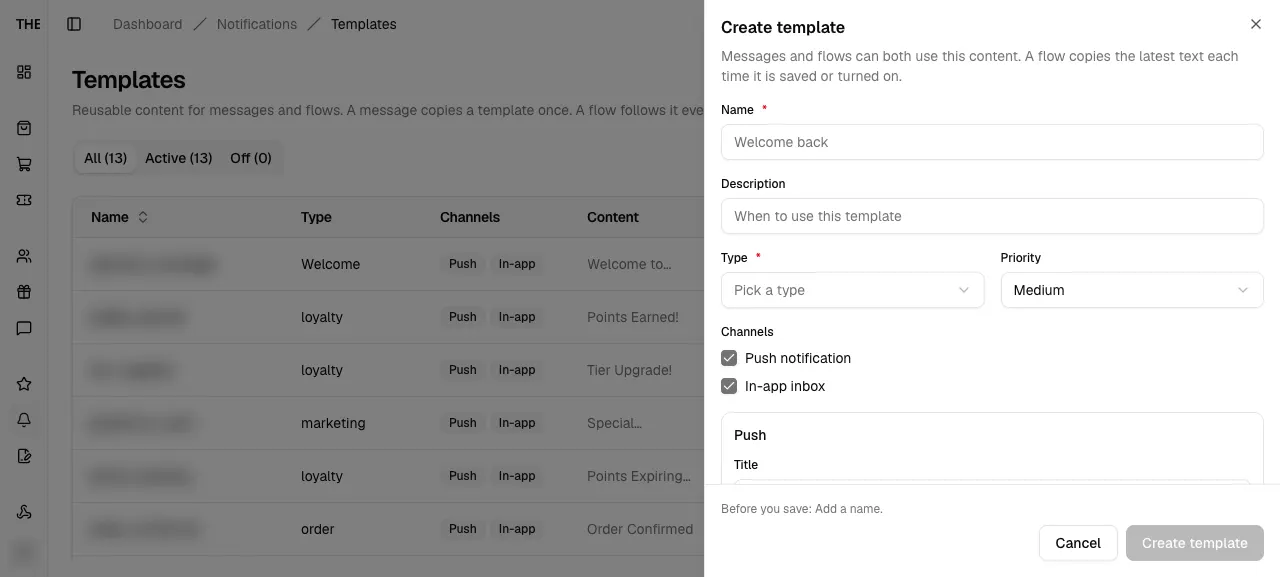
TemplateEditorSheetTemplate editor
Create or edit a template: name, type, priority, channels, push and in-app text, action link and a live preview.
src/features/notifications/templates/components/template-editor-sheet.tsxEntry
- Create template
- Name or Edit in a row
- ?edit=<id>
Exits
- Create template or Save changes → mutation
- Cancel or Close
States · 7
src/features/notifications/templates/components/template-editor-sheet.tsx:161src/features/notifications/templates/components/template-editor-sheet.tsx:341src/features/notifications/templates/components/template-editor-sheet.tsx:386src/features/notifications/templates/components/template-editor-sheet.tsx:372src/features/notifications/templates/components/template-editor-sheet.tsx:170src/features/notifications/templates/components/template-editor-sheet.tsx:144src/features/notifications/templates/components/template-editor-sheet.tsx:148Captured states
Delete template
Delete template
Needs data: Needs a notification template row
TemplateDeleteDialogDelete template
Alert dialog from the row menu. It lists the flows that use the template and offers Turn off as the safe choice.
src/features/notifications/templates/components/template-row-actions.tsxEntry
- Row menu Delete
Exits
- Delete for good → hard delete
- Turn off → deactivate (active templates)
- Cancel → close
States · 2
src/features/notifications/templates/utils/template-helpers.ts:84src/features/notifications/templates/components/template-row-actions.tsx:169