Admin Guide
Support Inbox
Handling contact messages.
Messages sent from the app's Contact page land here.
Workflow
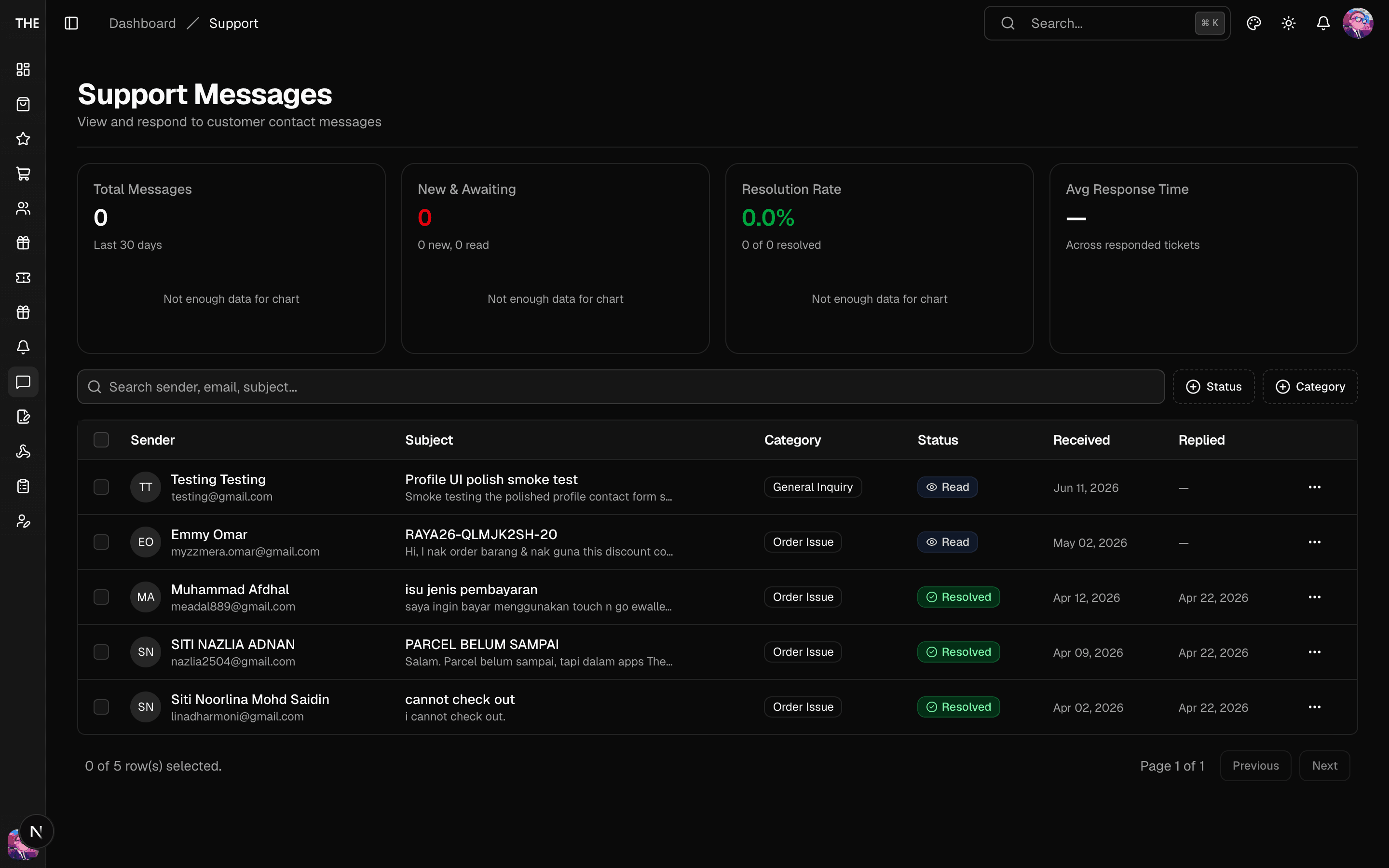
- New messages appear with a "new" badge and increment the stats cards.
- Open a message — it auto-marks as read.
- Reply — the message is sent to the customer's contact channel; the thread stays on the detail page.
- Set status: new → read → replied → resolved. Bulk status updates work from the list toolbar.
Rules of thumb
- Filter by category and status to triage; counts are on the filter chips.
- Resolved threads stay searchable — don't delete anything (there's no delete UI).
- For account-specific issues, cross-reference the customer in Users (and their loyalty tab) before replying.