Admin Guide
Users
Accounts, roles, and per-customer loyalty data.
Finding and inspecting
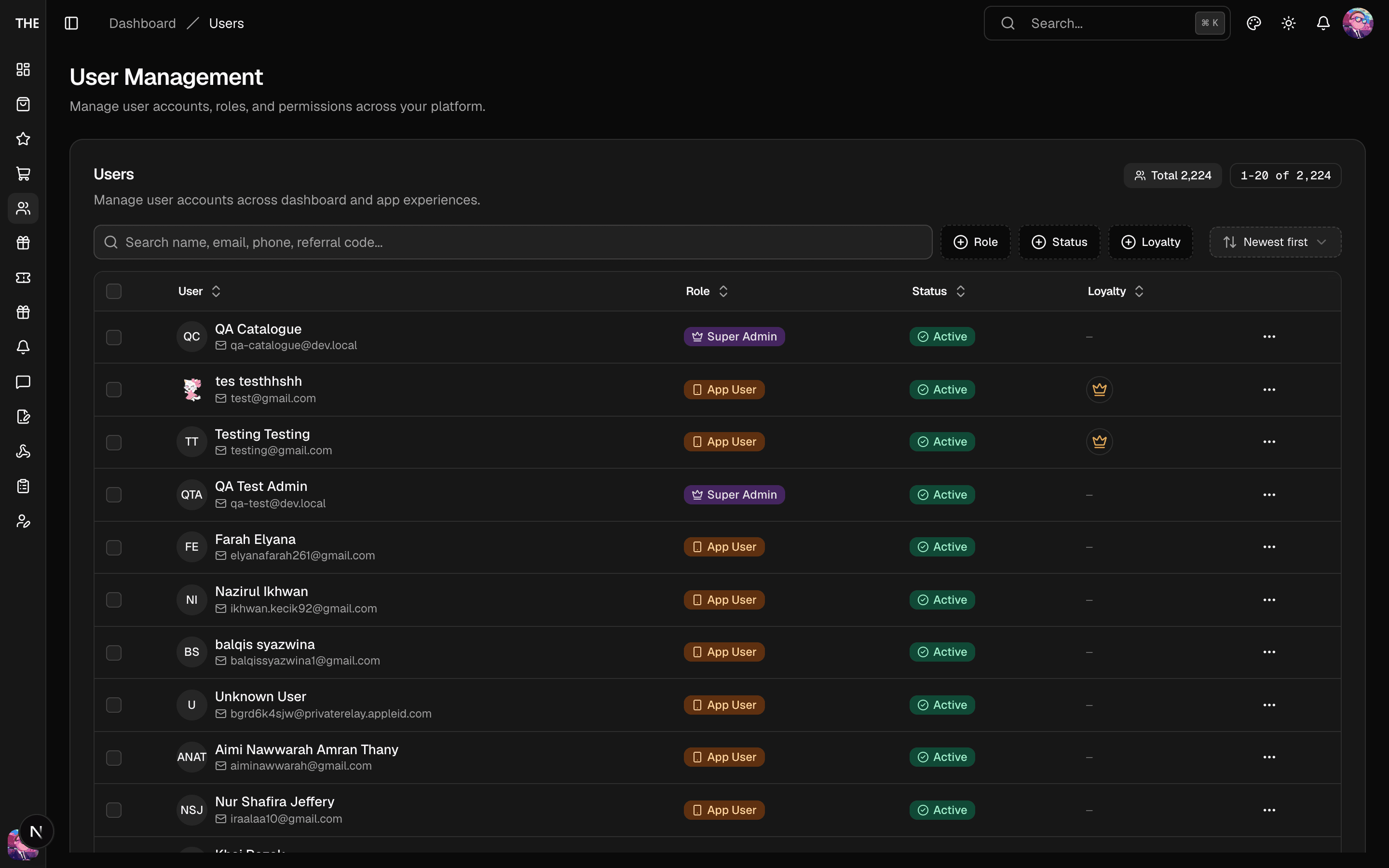
Users lists every account (app + dashboard) with role, status, and loyalty aggregates. Server-side search covers name/email/phone. The detail page shows profile, contact info, and a Loyalty tab (vouchers held, stamp history, seasonal claims).
Common tasks
- Change status — suspend (bans sign-in) / reactivate. Suspension is reversible; the user's data is intact.
- Change role — Super Admin only. Roles:
apps < dashboard < admin < super_admin. Granting dashboard access creates a staff account. - Edit profile — contact details and preferences; changes land on the customer's account immediately.
- Revoke voucher (Loyalty tab) — removes one voucher from this customer.
- Delete — soft delete (recoverable via Restore) vs Permanent Delete ⚠️ (Super Admin) which erases the account and frees the phone number for re-registration. There is no undo.
- Bulk edit — select rows → Activate/Suspend/Restore/Delete.
Rules of thumb
- Role changes and deletes are Super Admin territory; you can't act on your own account.
- "Restore" only appears for soft-deleted users.
- After suspending, the customer's sessions die on next token check — no manual session cleanup needed.